
This post may contain affiliate links. If you buy something through one of these links, Tech Info Central may earn a small commission at no extra cost to you.
A Wordfence Security Plugin review in 2026 needs to answer a more useful question than whether WordPress sites need security. The real question is whether Wordfence gives a normal site owner enough protection without making the site harder to manage.
For many WordPress users, the answer is yes.
Wordfence combines a web application firewall, malware scanning, login security, vulnerability alerts and centralised management in one plugin. The free version remains unusually capable, while Premium mainly improves how quickly new firewall rules and malware signatures arrive and adds features such as the real-time IP blocklist and country blocking.
That makes Wordfence easy to recommend, but it is not a set-and-forget magic shield. It runs at the WordPress endpoint, consumes server resources when scanning and still needs sensible configuration.
What Wordfence Actually Does
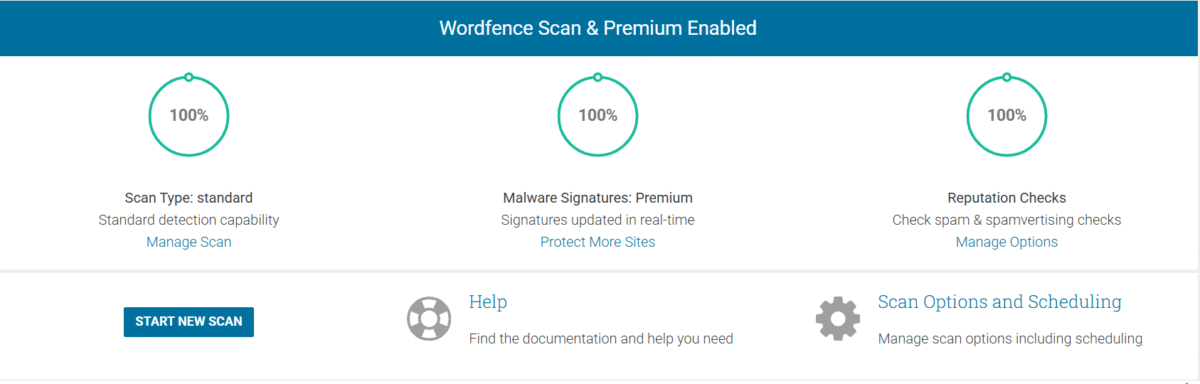
Wordfence sits inside WordPress and watches traffic reaching the site. Its main jobs are to block suspicious requests, scan files for malware or unwanted changes and strengthen the login process.
The free version includes:
- an endpoint web application firewall
- malware and file-integrity scanning
- brute-force protection
- two-factor authentication
- login CAPTCHA
- vulnerability alerts
- rate limiting
- Wordfence Central for managing multiple sites
That is a strong feature list before paying anything.
The most important limitation is timing. Wordfence Free receives newly released firewall rules and malware signatures after a delay. Premium receives them in real time.
For a hobby blog, that delay may be an acceptable trade-off. For an ecommerce site, membership service or business that depends on WordPress for revenue, faster protection has a clearer value.
The Firewall Is the Main Attraction
The Wordfence firewall is one of the reasons the plugin has remained popular.
Because it runs on the WordPress server, it can understand more about the application and the person making a request than a simple network filter. It can block brute-force login attempts, malicious uploads and requests designed to exploit known WordPress, theme or plugin vulnerabilities.
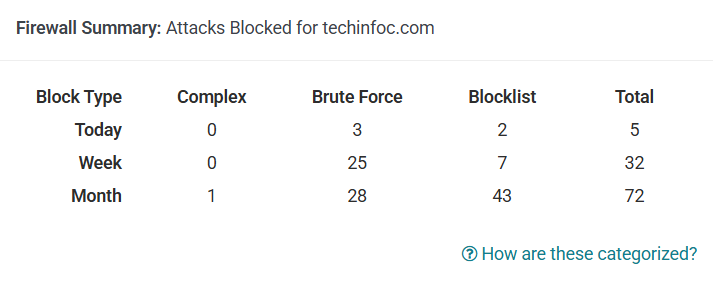
When first installed, the firewall can spend time in learning mode so it can understand normal traffic before becoming fully restrictive.
That is useful, but site owners should still review the settings rather than assuming the default configuration is ideal for every site.
If a plugin, API connection or external publishing tool suddenly stops working after a security change, Wordfence logs are one of the first places worth checking.
Malware Scanning Is Useful, but It Can Be Heavy
Wordfence compares WordPress core, theme and plugin files against known clean versions where possible. It can also look for malware signatures, suspicious code, malicious redirects, SEO spam and known bad URLs.
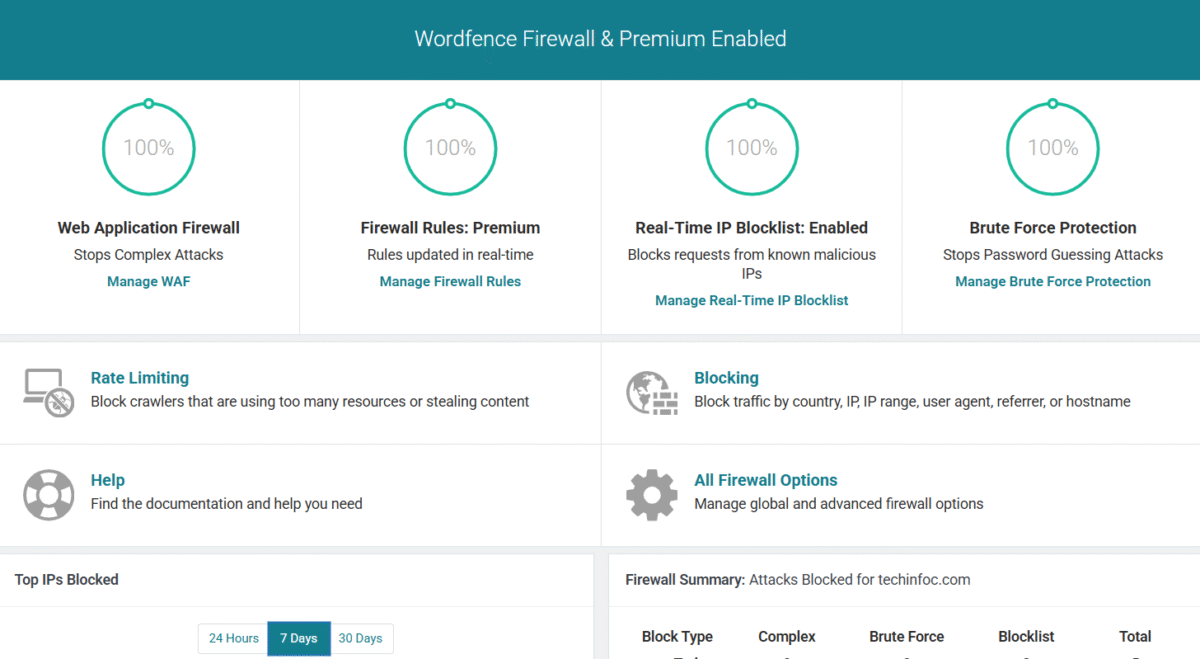
This is valuable when you inherit a site, suspect a compromise or simply want another layer of monitoring.
The trade-off is server load.
A large WordPress installation with thousands of files can make a full scan fairly demanding, particularly on low-cost shared hosting. Wordfence itself provides lower-resource scan options for hosts where a normal scan causes problems.
If your site becomes slow during scheduled scans, that does not automatically mean Wordfence is unsuitable. Adjusting the scan schedule or resource settings may solve the issue.
Login Security Is Worth Using Even on the Free Plan
Two-factor authentication is one of the highest-value Wordfence features for ordinary site owners.
A strong password is important, but a stolen password can still be used. Two-factor authentication adds another check before an attacker can enter the dashboard.

Wordfence can also use CAPTCHA to reduce automated login attempts and can restrict or disable parts of XML-RPC when they are unnecessary.
For administrator accounts, enabling 2FA is an easy recommendation.
Wordfence Free vs Premium
The free version is far from a demo. It includes the core firewall, scanner and login security tools.
Premium currently costs $149 per year for a single licence before multi-licence discounts. Its main advantages include real-time firewall rules, real-time malware signatures, the real-time IP blocklist, country blocking and ticket-based support.

That distinction matters.
Premium does not turn a weakly maintained WordPress site into an invulnerable one. You still need current plugins, current themes, good passwords, backups and a reputable host.
What Premium buys is faster threat intelligence and a few extra controls.
Does Wordfence Slow Down WordPress?
It can affect performance, especially during scans, because part of its work happens on your server.
How noticeable that is depends on the site and hosting environment. A small site on a capable server may barely notice it. A busy site on an underpowered shared plan may need more careful tuning.
Avoid judging the plugin only by whether it adds database tables or background tasks. The practical test is page speed, server resource use and error logs before and after installation.
Who Should Use Wordfence?
Wordfence makes particular sense for:
- self-hosted WordPress sites
- blogs with several administrator accounts
- business websites
- ecommerce sites
- sites that allow user logins
- owners who want detailed security logs
- people who prefer an all-in-one WordPress security plugin
The free plan is a sensible starting point for personal and smaller sites.
Premium becomes easier to justify when downtime or a compromise would cost real money.
Pros
- Strong free version
- Firewall and malware scanner in one plugin
- Two-factor authentication included
- Detailed alerts and logs
- File-integrity checking
- Centralised management through Wordfence Central
- Premium provides real-time rules and signatures
Cons
- Full scans can use significant server resources
- The number of settings can feel intimidating at first
- Premium is relatively expensive for owners of several small sites
- Security alerts need interpretation rather than blind action
Final Verdict
Wordfence remains one of the strongest general-purpose security options for self-hosted WordPress.
The free version gives ordinary site owners a serious firewall, scanner and login-security toolkit without forcing an immediate subscription. Premium is best viewed as a faster and more proactive version of that protection rather than a completely different product.
For a small personal site, Wordfence Free plus good backups, updates and 2FA may be enough.
For a site that earns money, stores customer information or cannot afford a long outage, the real-time protection in Premium is easier to justify.
The most important part is configuration. Install Wordfence, understand what it is blocking, watch the logs and keep the rest of WordPress maintained. Security works best as a system, not as one plugin.