
This post may contain affiliate links. If you buy something through one of these links, Tech Info Central may earn a small commission at no extra cost to you.
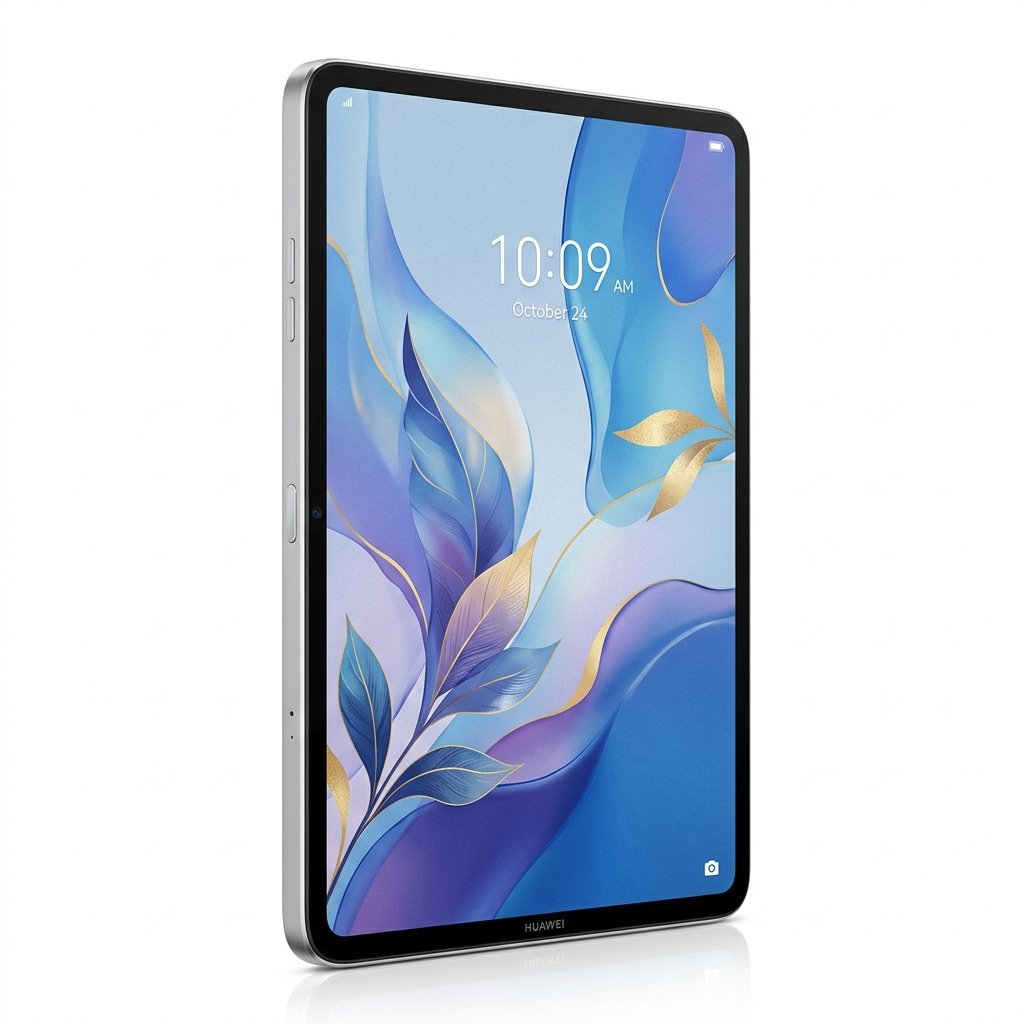
A Huawei MatePad Pro 12.2 PaperMatte review quickly becomes a discussion about the display because Huawei has made the screen the product’s identity.
The PaperMatte edition combines a 12.2-inch tandem OLED panel with a surface treatment designed to reduce reflections and create a more paper-like feel for writing and drawing. That is a very different priority from a tablet built mainly around benchmark scores.

The PaperMatte Display
Huawei specifies a 2800 x 1840 tandem OLED panel with a wide P3 colour gamut and claimed peak brightness of up to 2,000 nits under supported conditions.
The important part is the PaperMatte surface. Glossy tablet screens can become mirrors under overhead lighting or near windows. The matte treatment reduces that glare and also changes the way a stylus feels when moving across the glass.
Artists and note-takers may appreciate the extra resistance because it feels less slippery than writing directly on ordinary glass. Photographers and video editors should remember that any matte surface can alter the perceived crispness and contrast slightly compared with a perfectly glossy panel.
Size and Portability
Despite the 12.2-inch display, the tablet is roughly 5.5mm thick. Huawei lists the PaperMatte version at just over 500g, making it relatively light for a large productivity tablet.

That matters because a large tablet can quickly become awkward if it feels like a laptop display with no keyboard attached. The MatePad remains manageable for reading, note-taking and drawing, although using any 12-inch tablet one-handed for long periods is unrealistic.
Performance
The MatePad Pro uses Huawei’s Kirin platform, with 12GB of RAM on common configurations and 256GB or 512GB storage depending on region.
It is designed to handle multitasking, creative applications and large documents rather than serve purely as a media tablet. The high-resolution display and stylus support make that positioning clear.
Raw benchmark comparisons matter less here than application availability. A fast tablet only helps if the software you depend on exists for the platform.

The Software Question
This is the biggest buying consideration.
Huawei’s tablets use HarmonyOS in many markets and do not provide the conventional Google Mobile Services experience found on most Android tablets. Huawei has built a substantial application ecosystem of its own, but some workflows remain simpler on an iPad or Samsung tablet.
Before buying, make a list of the applications you actually need. Check banking apps, workplace tools, cloud storage, creative software and any Google-dependent services rather than assuming there will be a perfect substitute.
For people whose workflow fits Huawei’s ecosystem, this may barely matter. For others, it can determine whether an otherwise excellent tablet feels restrictive.
Battery and Charging
Huawei lists a battery equivalent to roughly 10,100mAh at the conventional voltage reference. That is appropriate for a large, bright OLED tablet.
Actual endurance depends heavily on brightness, stylus use, streaming and multitasking. The advantage of a large battery is that the MatePad can support long reading and writing sessions without behaving like a permanently docked device.

Keyboard and Stylus Use
The MatePad Pro becomes more interesting when paired with Huawei’s keyboard and M-Pencil ecosystem.
The PaperMatte surface is particularly relevant to handwritten notes, illustration and document annotation. A keyboard then turns the device into a lightweight writing and productivity machine.
The combination will appeal to students and creative workers who prefer direct pen input over a conventional laptop trackpad.
Pros
- Excellent 12.2-inch tandem OLED display
- PaperMatte surface reduces reflections
- Strong pen-focused design
- Thin and relatively light
- Large battery
- Premium construction
Cons
- Google app compatibility requires careful consideration
- Matte surface may look slightly less glassy and crisp than glossy OLED
- Accessory costs can raise the total price
- Software ecosystem matters more than processor benchmarks
Buy Now on Amazon
Secure checkout and fast delivery.
Final Verdict
The MatePad Pro 12.2 PaperMatte is a specialised premium tablet rather than a generic iPad alternative. Its display, anti-glare finish and stylus-focused design make it unusually appealing for people who read, write or draw for hours at a time.
The hardware is the easy part to recommend. The software ecosystem is the part every buyer should investigate before spending the money.
If your required apps are available, the PaperMatte model offers one of the most distinctive large-tablet experiences on the market. If your work depends heavily on Google services or particular Android applications, check compatibility first.