
This post may contain affiliate links. If you buy something through one of these links, Tech Info Central may earn a small commission at no extra cost to you.
Cheerdots 2 Air Mouse review searches usually begin with one question: what exactly is this thing?
Calling it a mouse barely explains it.
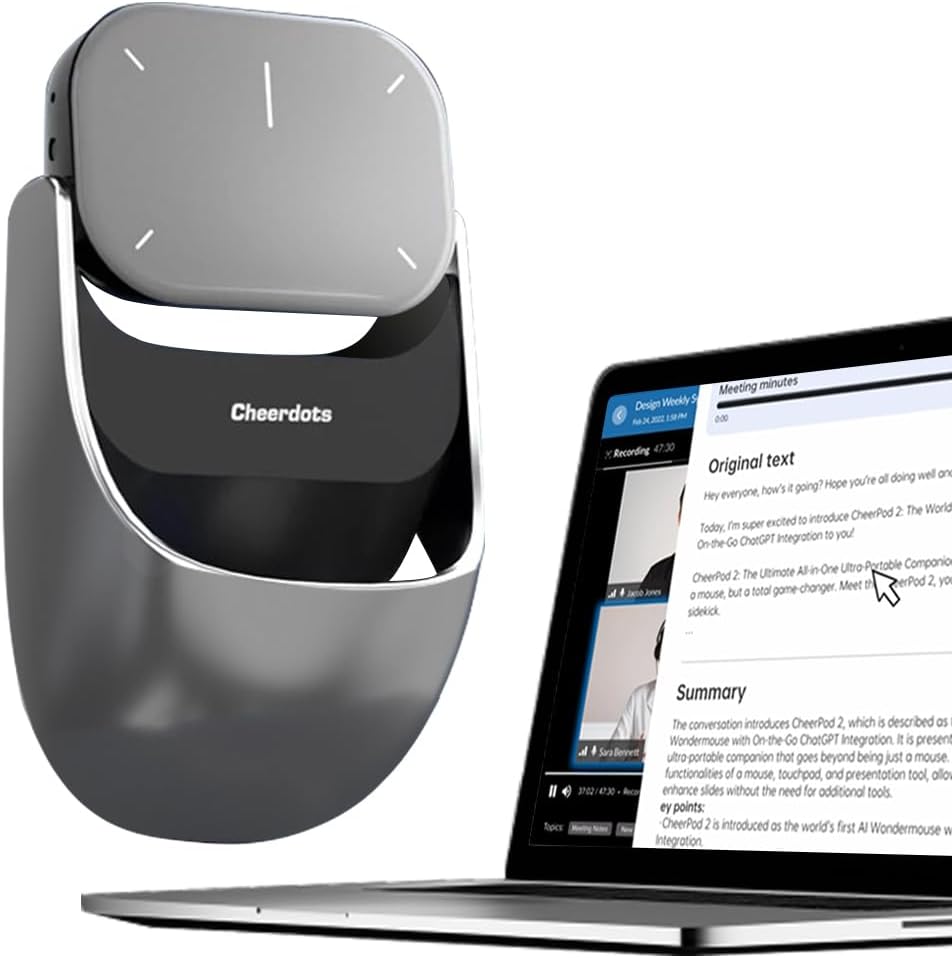
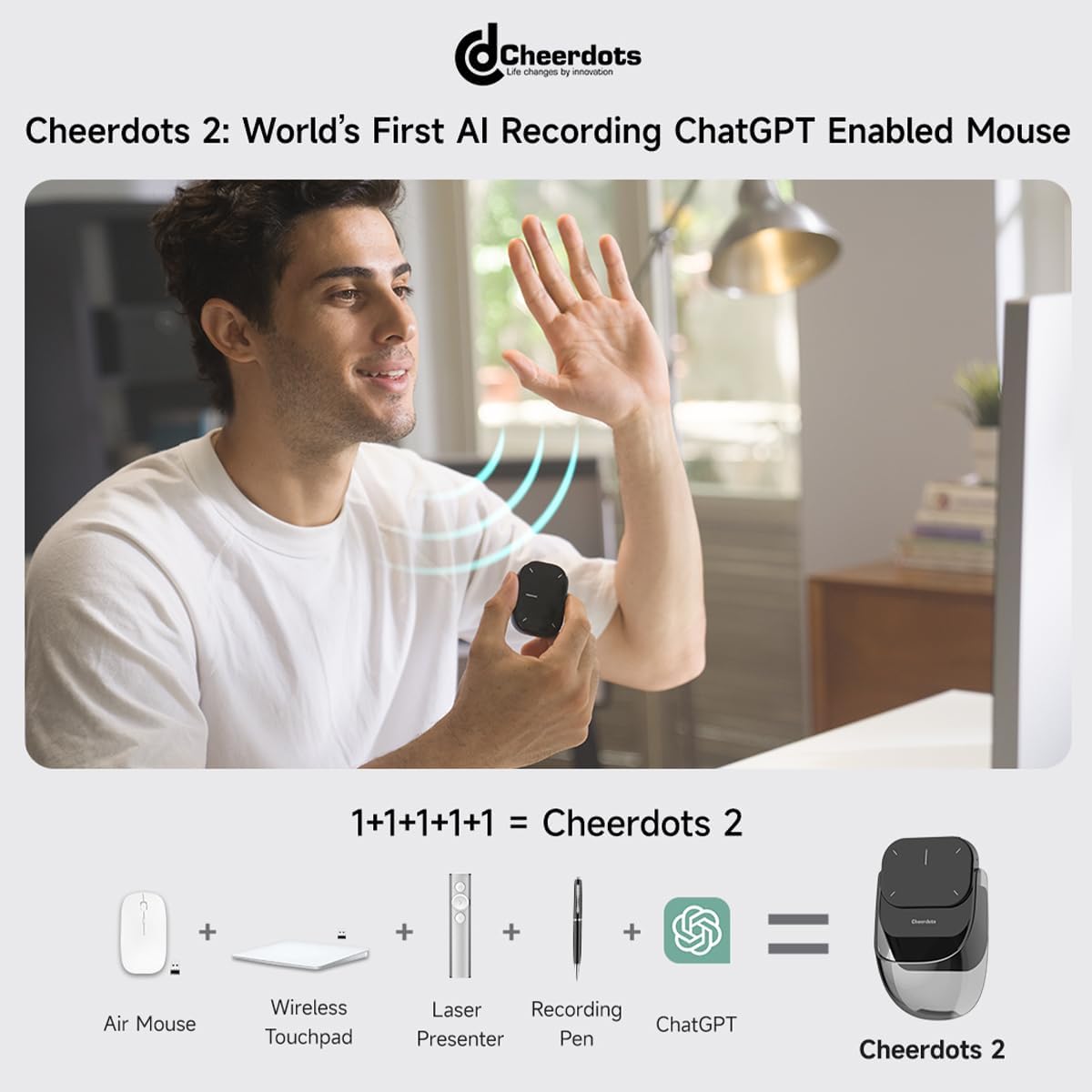
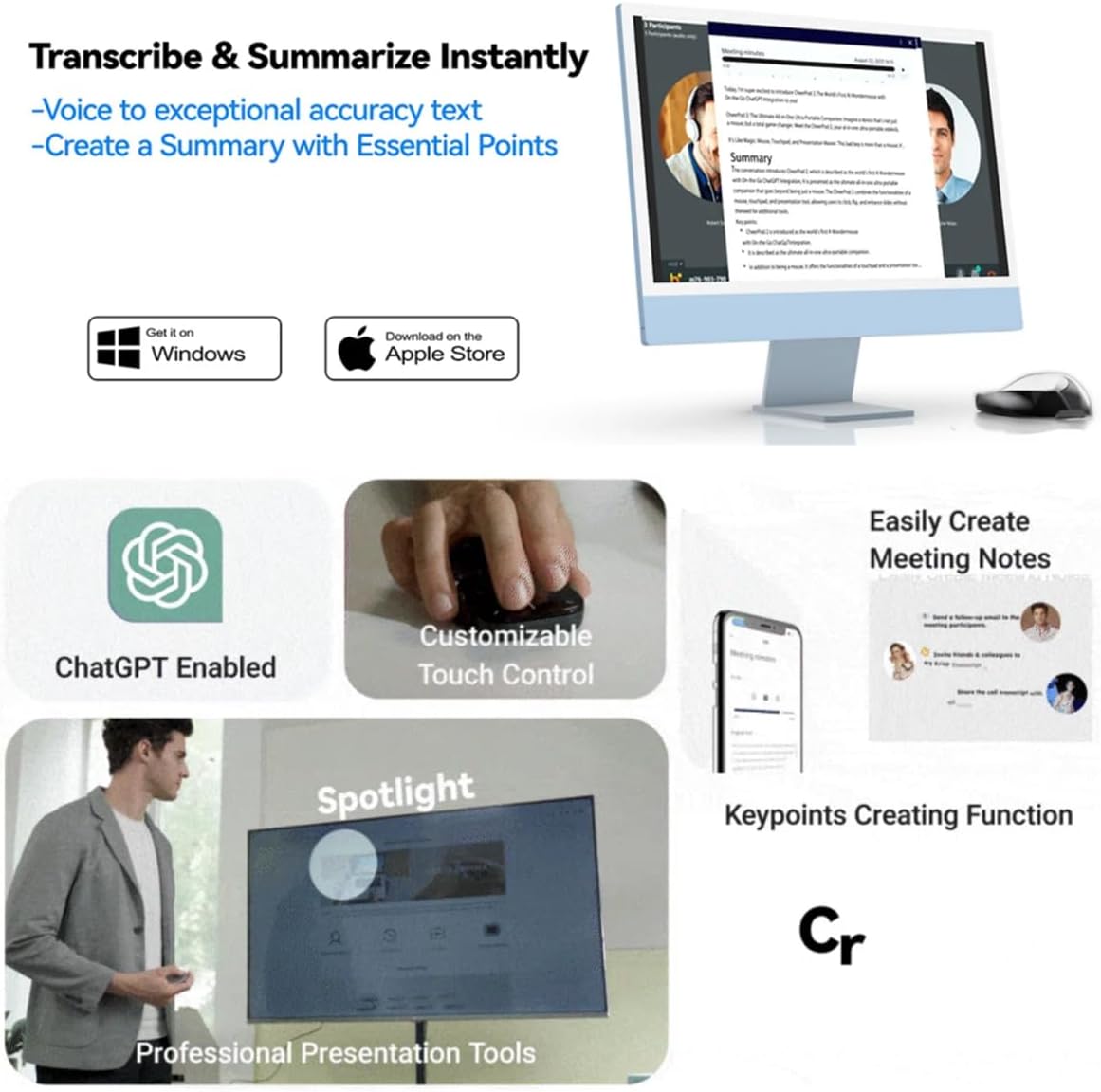
Cheerdots 2 combines a Bluetooth touchpad, air mouse, presentation controller, laser pointer and voice recorder inside a small detachable device. Depending on the version and software being used, recordings can also be transcribed and summarised with AI.
It is an unusual product aimed less at traditional mouse users and more at people who regularly move between a desk, meeting room and presentation screen.
That makes Cheerdots 2 genuinely interesting, but it also means you should understand what you are buying before treating it as a replacement for your everyday mouse.
Cheerdots 2 Key Specifications
| Feature | Details |
|---|---|
| Product type | Detachable smart mouse and presentation controller |
| Weight | Around 70g |
| Connection | Bluetooth |
| Charging | USB-C |
| Modes | Desktop and Air Mode |
| Presentation tools | Slide control, laser pointer, spotlight and digital highlighting |
| Recording | Supported on recording-equipped versions |
| AI features | Transcription, summaries and GPT-based functions on supported version/software |
| Desktop software | Windows 10/11 and macOS 10.15 or newer |
| Claimed battery | Up to 20 days depending on use |
The Detachable Design Is the Main Attraction
Cheerdots 2 is built around a magnetic split design.
Use the complete unit on a desk and its upper surface acts as a touchpad. Detach the control section and it becomes a handheld presentation and air-mouse device.
That sounds slightly strange until you imagine an actual meeting.
You can work at your laptop, pick up the controller, walk towards a presentation screen, advance through slides, move the pointer and highlight important information without returning to the computer.
For lecturers, trainers and people who regularly pitch ideas to clients, that flexibility is far more useful than adding another button to a normal mouse.
At roughly 70g, it is also easy to throw into a laptop bag.
How It Works as a Desktop Mouse
This is the area where expectations need to be realistic.
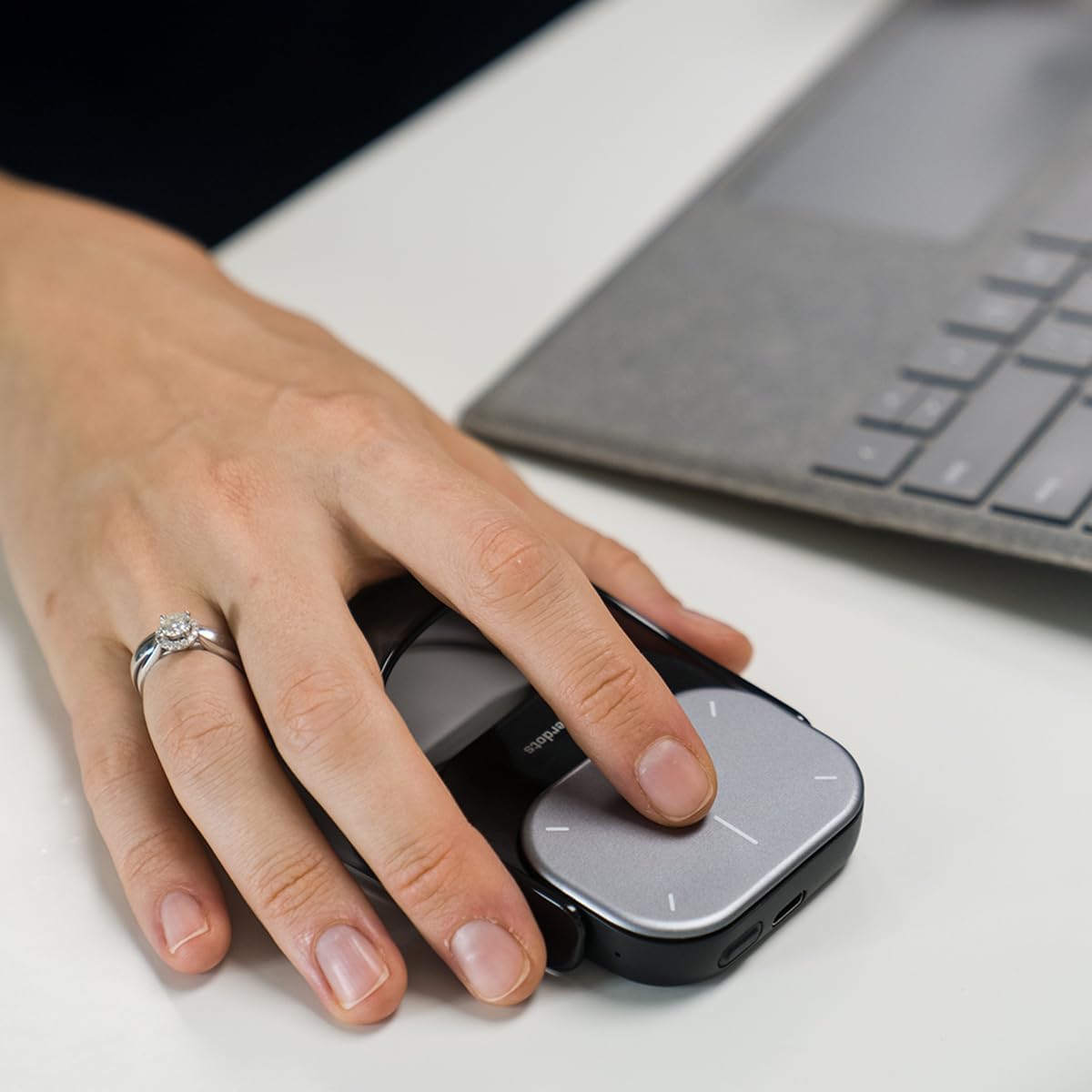
Cheerdots 2 can control a computer from a desk, but it does not have the familiar shape of a conventional ergonomic mouse.
You interact with its touch-sensitive surface rather than resting your hand around a sculpted shell and moving an optical sensor across the desk.
For short sessions, navigation, scrolling and presentation preparation, that approach can work well.
If you spend eight hours editing spreadsheets, designing graphics or gaming, a conventional mouse will probably feel more comfortable and precise.
Cheerdots 2 makes more sense as a productivity controller that can also perform mouse duties.
Thinking of it that way makes the design much easier to appreciate.
Presentation Controls Are Its Strongest Feature
Presentations are where the product starts to justify itself.
In Air Mode, the detachable section lets you control the cursor remotely, move between slides and emphasise information on screen.
Cheerdots offers both a physical red laser and software-based highlighting options, including spotlight and digital-light modes.
A physical laser works well when you are pointing at a projection surface.
Digital highlighting is more useful when the presentation is being shared remotely because participants can see the effect directly on the computer output rather than trying to follow a laser dot in the room.
That combination gives the Cheerdots 2 more flexibility than a simple next-and-back presentation clicker.
Voice Recording Adds Another Dimension
Selected Cheerdots 2 versions include recording functionality.
The idea is straightforward. Instead of carrying a separate voice recorder into a meeting, the same device controlling your computer can capture the conversation.
Install the Cheerdots desktop software and supported versions can turn recordings into text, extract key points and use AI features to summarise information.
That could be genuinely useful for meetings, lectures and interviews where taking notes manually means paying less attention to the conversation.
There is an important distinction, though.
The clever AI functions depend on software. They are not magical capabilities taking place entirely inside the mouse.
Anyone buying Cheerdots 2 mainly for recording and AI should therefore check which version they are purchasing and whether the accompanying software suits the computers they use.
A Gadget That Depends Heavily on Software
Simple mice remain useful for years because they require very little from the computer.
Cheerdots 2 is different.
Its basic Bluetooth controls are straightforward, but advanced gestures, presentation effects, transcription and AI functions depend more heavily on Cheerdots software.
That creates more possibilities, but also adds another component that needs to remain compatible with your operating system.
For a professional who loves combining several tools into one device, that trade-off may be worthwhile.
Someone who values complete simplicity may prefer a dedicated mouse and separate presentation remote.
Battery Life
Cheerdots advertises extended battery endurance of up to around 20 days, although actual use will depend heavily on recording, presentation activity and how frequently the device is awake.
USB-C charging is a welcome choice because it avoids adding another proprietary cable to a travel bag.
For occasional meetings and presentations, charging should be relatively infrequent.
Heavy recording will naturally put more pressure on the battery than basic pointer use.
Who Is Cheerdots 2 Best For?
The product makes the most sense for:
- lecturers and teachers
- business presenters
- trainers
- sales professionals
- remote workers
- students recording lectures where permitted
- people who frequently move between desk work and presentations
- travellers trying to reduce the number of gadgets in their bag
It is much less compelling for somebody who simply wants a great desktop mouse.
Pros
- Very portable
- Clever magnetic detachable design
- Combines several office tools
- Physical laser pointer
- Digital spotlight and presentation highlighting
- Voice recording on supported models
- AI transcription and summarisation options
- USB-C charging
- Useful for people who present regularly
Cons
- Less ergonomic than a traditional mouse for long sessions
- Advanced functions rely on companion software
- Different versions have different recording and AI capabilities
- More complicated than a simple presentation remote
- Limited benefit for users who rarely give presentations
Final Verdict
Cheerdots 2 succeeds because it solves a specific problem rather than trying to beat a conventional mouse at its own game.
If your working day involves moving between a laptop, meeting table and presentation screen, having a touchpad, remote, laser pointer and recorder combined into one pocketable device can be extremely convenient.
The recording and AI features make the more advanced versions particularly interesting for meetings, although buyers should remember that these functions rely on software support.
For somebody who mainly sits at a desk, there are better traditional mice.
For presenters, lecturers and mobile professionals, Cheerdots 2 is one of those unusual gadgets whose strange design begins to make a lot of sense once you understand the job it was built to do.
Buy Now on Amazon
Choose your region to purchase with fast delivery and secure checkout.
Some of the links in this post are affiliate links. If you make a purchase through them, I may earn a small commission at no extra cost to you. It helps support the site and keeps the content going. Thanks for your support!