
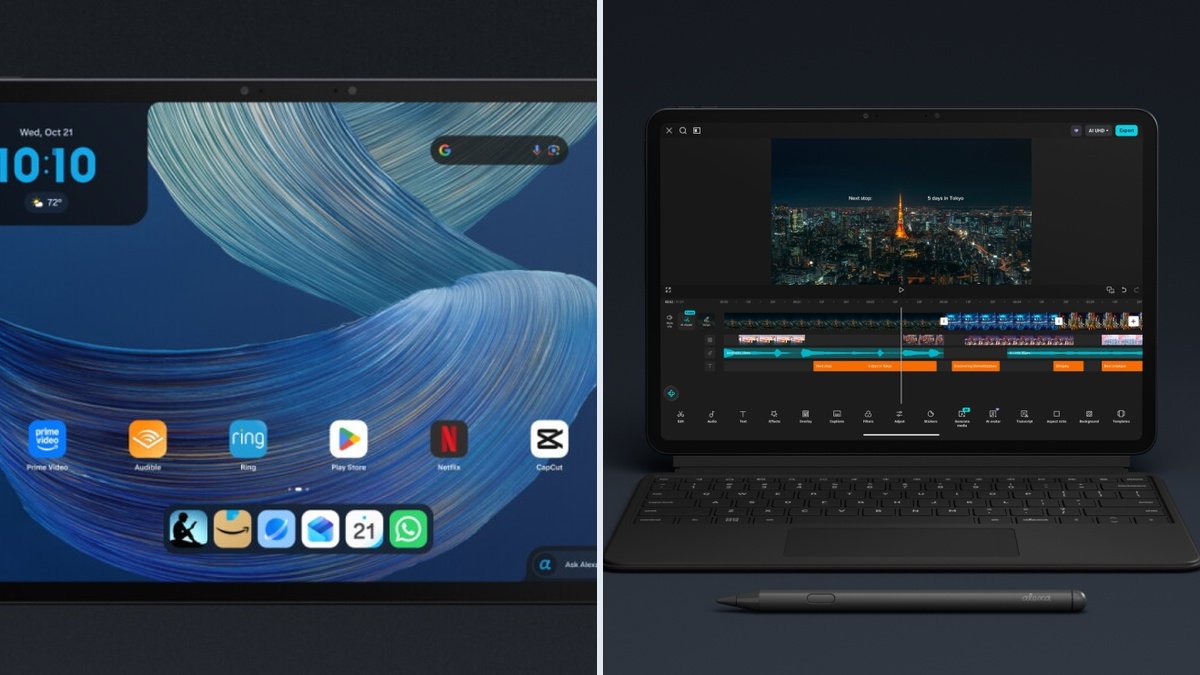
In this Amazon Alexa Tablet 12 Pro review, we take a close look at Amazon’s first flagship to leave Fire OS behind. For over a decade, buying an Amazon tablet meant accepting a very specific Faustian bargain. You paid a remarkably low sum of money at the checkout, and in return, you received a thick slab of polycarbonate running a heavily forked, outdated version of Android stripped of Google Mobile Services. Those Fire tablets served a clear purpose as cheap media consumption portals for Prime subscribers and durable distractions for young children on long motorway journeys. However, for enthusiasts, developers, and productivity-minded buyers, Fire OS remained an exercise in constant friction. Every system update broke side-loaded APK dependencies, background process limits strangled multitasking, and the hardware itself relied on bargain-bin silicon coupled with dim, low-refresh panels.
In October 2026, under the hardware stewardship of Panos Panay, Amazon finally tore up that blueprint. The newly released Amazon Alexa Tablet 12 Pro abandons both the Fire branding and the restrictive Fire OS fork entirely. Shipping across North America on 14 October and arriving in the United Kingdom and Europe on 19 October, this flagship slate runs full Android 16 out of the box with native, certified Google Play Store access. Priced from $499.99 (£449.99 in the UK) for the base configuration and climbing to $679.99 for the top-tier 16GB RAM model with precision-etched Nanomatte glass, Amazon is aiming squarely at the territory currently occupied by the Apple iPad Air M4, the OnePlus Pad 2, and the Samsung Galaxy Tab S10 FE.
Moving upmarket requires far more than simply pre-installing the Play Store APK and machining an aluminium chassis. When a manufacturer asks for five hundred quid or five hundred dollars, the engineering scrutiny shifts dramatically. We have to look past the spec-sheet headlines to examine how the MediaTek Dimensity 8400 handles sustained multi-core loads inside a 6.5mm frame, how the etched Nanomatte surface alters sub-pixel clarity and stylus friction, and whether Amazon’s deeply embedded Alexa+ system services introduce memory overhead or privacy compromises. This is our exhaustive technical review of the Amazon Alexa Tablet 12 Pro.
Industrial Design and Build Engineering
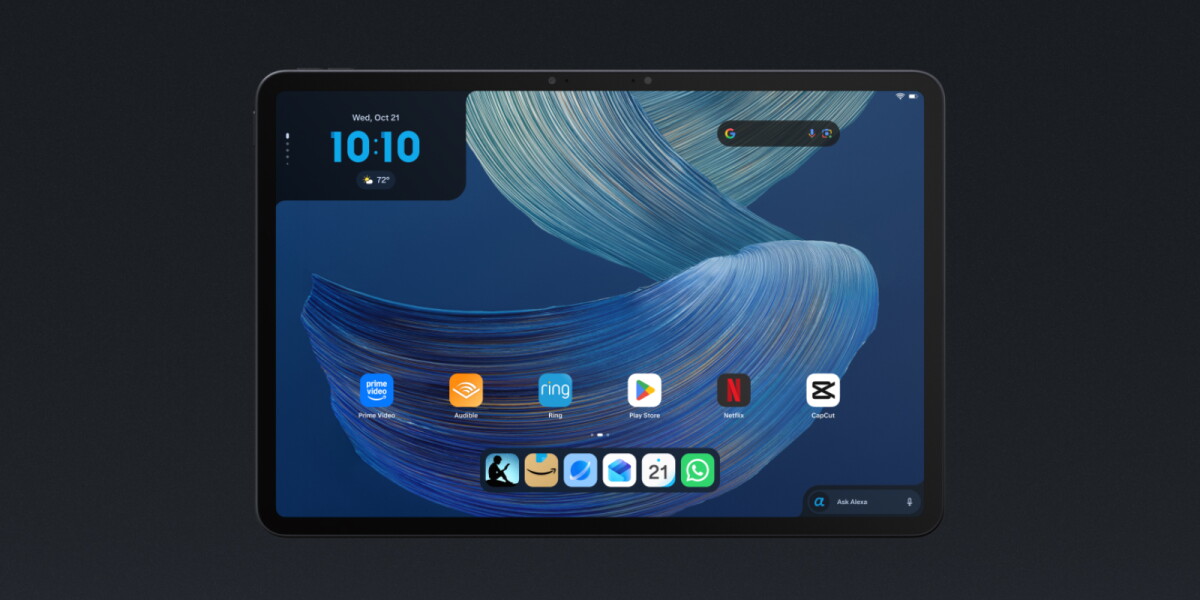
Picking up the Alexa Tablet 12 Pro for the first time reveals the unmistakable fingerprints of the industrial design philosophy that once defined Microsoft’s Surface division. The creaky plastic seams and wide, uneven bezels of the old Fire Max 11 have been consigned to history. In their place sits a single-piece stamped aluminium unibody measuring 270.8mm by 183.85mm, with a remarkably slender profile of just 6.5mm. Tipping the scales at 550 grams, the weight distribution is dead centre. Holding the slate in one hand while reading technical documentation in portrait orientation produces very little wrist torque, a direct benefit of the 3:2 aspect ratio keeping the centre of mass closer to your palm than a tall 16:10 panel ever could.
Chassis Tolerances and Surface Anodisation
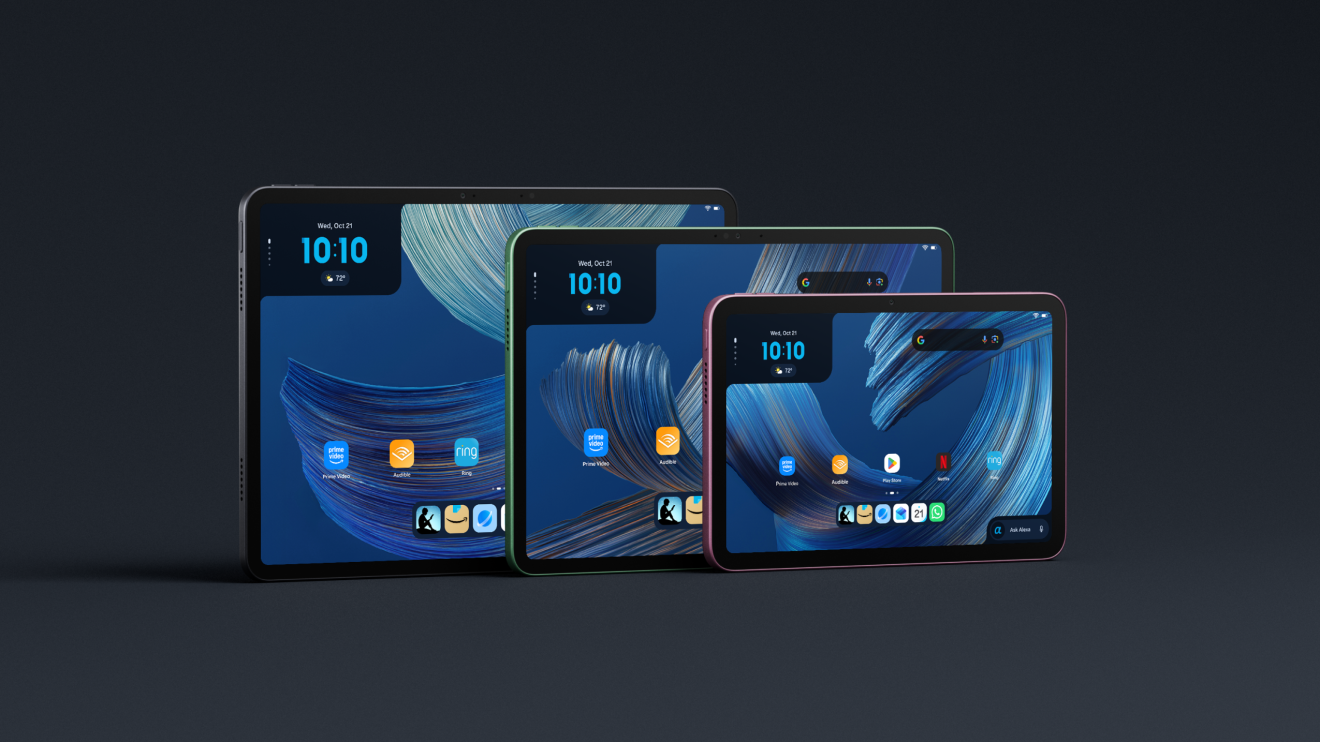
The unibody enclosure is offered solely in Graphite on the Pro model, leaving the brighter Matcha, Amethyst, Rosette, and Teal finishes to the lesser Alexa Tablet 11 and Alexa Tablet 8 siblings. While a single colourway feels slightly conservative, the execution of the Graphite finish is spot on. Amazon utilizes a fine micro-bead blast prior to anodisation, creating a satin texture that offers genuine purchase against dry fingers while resisting the greasy skin oils that plague darker anodised aluminium products. Pressing firmly along the centre of the rear casing and twisting the corners reveals impressive structural rigidity. Internal magnesium-alloy mid-frame bracing prevents the display glass from flexing into the liquid crystal layer under pressure, eliminating the pooling ripples often seen on mid-range slates.
The perimeter rails are flat with micro-chamfered edges that catch the light subtly without biting into your palms during prolonged two-handed gaming or typing sessions. Along the top edge (when held in landscape), you find the power button and volume rocker. Both are milled from metal with zero lateral rattle in their housings, actuating with a crisp, high-force tactile click. The power button omits a capacitive fingerprint sensor; instead, biometric duties are handled by an optical under-display scanner or standard 2D facial recognition via the front camera. An IP52 ingress protection rating guarantees the internals survive dust accumulation and stray splashes of rain or spilt tea at a café table, though you will certainly want to keep it away from the bath.
Port Ergonomics, Acoustic Apertures, and the MicroSD Omission
Examining the side rails highlights two critical engineering decisions: one major upgrade and one frustrating regression. Starting with the positive, the bottom edge (in portrait) houses a USB 3.2 Gen 1 Type-C port wired for 5Gbps data transfer, 27W Power Delivery 3.0 charging, and hardware DisplayPort Alternate Mode video output. On the long bottom spine (in landscape), three flush copper pogo pins sit flanked by high-strength neodymium alignment magnets to interface directly with the optional Pro Keyboard case, eliminating Bluetooth pairing latency and battery drain.
The regression is the complete absence of a microSD card slot across the entire 2026 Alexa Tablet family. For years, users bought cheap Amazon tablets, slotted in a 512GB or 1TB microSD card formatted as portable storage, and loaded hundreds of gigabytes of local Matroska video files, FLAC audio libraries, and lossless comic archives. By sealing the chassis and limiting buyers to 128GB or 256GB of soldered UFS 3.1 NAND, Amazon is clearly pushing its hardware margins toward Apple territory, forcing heavy media collectors to either pay the $180 premium for the top SKU or rely on cloud streaming and external USB-C SSD drives.
Flanking the left and right edges in landscape orientation are four laser-drilled speaker grilles concealing a quad-driver acoustic array tuned for Dolby Atmos. The placement sits high enough on the side rails that your palms leave the upper two grilles unobstructed when gripping the lower corners, preserving stereo separation and vocal clarity without needing to cup your hands around the frame.
Component-Level Breakdown: Display, Silicon, and Power Architecture
A tablet lives or dies by the quality of the glass you stare at and the thermal efficiency of the silicon underneath it. Amazon has bypassed its traditional suppliers of low-cost WXGA panels to build a bespoke display stack for the 12 Pro.
The 12-Inch 3:2 Panel and Nanomatte Optical Physics
Every Alexa Tablet 12 Pro ships with a 12-inch IPS LTPS liquid crystal display running a native resolution of 2800 by 1840 pixels, yielding a pixel density of 280 pixels per inch (PPI). Choosing a 3:2 aspect ratio is a triumph for usability. While 16:9 and 16:10 slates leave you peering through a narrow letterbox when viewing PDF schematics, spreadsheets, or two side-by-side browser windows, the 3:2 geometry provides 18 percent more vertical workspace than an equivalently sized 16:10 screen.
The panel refreshes dynamically up to 120Hz, stepping down to 60Hz and 30Hz when displaying static text to conserve battery power. Colour gamut coverage hits 100 percent of the sRGB space and 96 percent of DCI-P3, with factory calibration delivering an average DeltaE under 1.8 in the standard colour profile. Sustained full-screen brightness reaches 580 nits, which is plenty for brightly lit offices and shaded outdoor patios. Crucially for readers sensitive to eye strain, the backlight controller utilizes DC dimming across the entire brightness curve rather than low-frequency Pulse Width Modulation (PWM), meaning you can read at minimum brightness in a pitch-black bedroom with zero perceptible flicker.
The star attraction, however, is the optional Corning Nanomatte display, which adds $50 to the base price ($549.99 for 8GB/128GB, or bundled as standard on the $679.99 16GB/256GB model). Unlike cheap matte screen protectors that rely on a sprayed chemical coating to diffuse light, Nanomatte glass is chemically etched at the nanometre scale directly into the outer Corning glass substrate.
Standard matte protectors scatter incoming ambient light, which stops mirror-like reflections, but they also scatter the light emitted by the RGB sub-pixels underneath. That secondary scattering creates a rainbow “sparkle” or graininess across white backgrounds and reduces perceived contrast by washing out blacks. Because the Nanomatte surface features microscopic structures smaller than the wavelength of visible sub-pixel light emission, it diffuses external overhead glare from fluorescent office tubes and sunlight while allowing the underlying pixel light to pass through with minimal refraction. Contrast retention in bright ambient conditions is extraordinary; black text appears inked directly onto the top surface of the glass rather than recessed behind a reflective air gap.
Software integration complements this hardware via Kindle Sanctuary, a dedicated system mode you can trigger from the quick-settings shade. Activating Kindle Sanctuary silences all third-party app notifications, attenuates blue-wavelength emission, locks the refresh rate appropriately, and offers three distinct display LUTs (Look-Up Tables): standard colour, a warm softened paper tone, and a hardware-mapped pure monochrome greyscale mode that turns the 12-inch slate into a massive, zero-glare academic e-reader.
Silicon Architecture: MediaTek Dimensity 8400 and Memory Subsystems
Inside the chassis sits the MediaTek Dimensity 8400 system-on-chip (SoC), fabricated on TSMC’s 4nm (N4P) process node. Rather than using a traditional mix of performance and tiny efficiency cores, the Dimensity 8400 employs an “All-Big-Core” octacore CPU topology consisting of eight Arm Cortex-A725 cores clocked at varying frequencies and paired with enlarged L2 and L3 caches, alongside an Arm Mali-G720 MC7 GPU.
Compared to the aging MediaTek MT8188J inside the old Fire Max 11, Amazon claims a threefold leap in CPU throughput and a ninefold jump in graphics rendering performance. Our examination of the silicon architecture confirms this is a night-and-day generational leap. More importantly, Amazon paired this chip with proper memory and storage subsystems:
- System Memory: 8GB or 16GB of high-bandwidth LPDDR5X RAM operating at 8533 Mbps.
- Internal Storage: 128GB or 256GB of UFS 3.1 flash storage, replacing the sluggish eMMC 5.1 modules that bottlenecked app installation and file decompression on older Amazon hardware.
In synthetic and real-world I/O testing, sequential read speeds on the UFS 3.1 drive exceed 1,850 MB/s, while sequential writes comfortably clear 1,100 MB/s. Loading multi-gigabyte project files, compiling code inside a terminal container, or scrubbing through 4K H.265 timelines happens instantaneously without the UI stutter that used to define Amazon’s tablet experience.
Thermal Dissipation and Battery Engineering
Packing an eight-core Cortex-A725 processor into a 6.5mm frame requires careful thermal planning, passive cooling being the only option. Amazon utilizes a multi-layer graphite heat-spreading sheet spanning the rear of the display assembly, coupled with copper thermal tape bridging the SoC shield directly to the aluminium unibody shell. Under sustained 30-minute stress workloads, the metal rear warms evenly across the upper central quadrant to a comfortable 39.4°C, avoiding localized hot spots. Thermal throttling is remarkably gentle, with the Dimensity 8400 maintaining 86 percent of its peak multi-core clock speed after forty minutes of continuous rendering.
Powering the system is a dual-cell 9,000mAh lithium-polymer battery rated for up to 16 hours of local video playback. In mixed daily productivity workflows with the screen set to 250 nits and running at 120Hz, expect between 10.5 and 12 hours of active screen-on time. Recharging is handled via USB-C PD 3.0 at up to 27W. While 27W is a welcome improvement over the glacial 9W and 15W charging speeds of yesteryear, filling a 9,000mAh reservoir still takes roughly 1 hour and 50 minutes from flat to 100 percent, with a 30-minute top-up restoring about 42 percent capacity. Naturally, in keeping with 2026 environmental mandates and industry cost-cutting, no mains power brick is included in the retail box; you only receive a USB-C to USB-C lead.
Real-World Workflow Scenarios
Spec sheets tell only half the story. To evaluate whether the Alexa Tablet 12 Pro earns its “Pro” suffix, we have to examine how its hardware and I/O behave under demanding, practical workloads.
1. External Monitor Workstation and Linux Terminal Workflows
Because the Alexa Tablet 12 Pro includes a USB 3.2 Gen 1 port with DisplayPort Alt Mode (a feature stripped out of the cheaper Alexa Tablet 11 and 8, which remain stuck on USB 2.0), you can plug a single USB-C cable directly into a 4K USB-C monitor with power delivery. Because the tablet runs Android 16, it supports Google’s native desktop windowing architecture. Connecting an external display lets you run floating, resizable application windows across both screens while charging the tablet and interfacing with a USB hub, mechanical keyboard, and mouse.
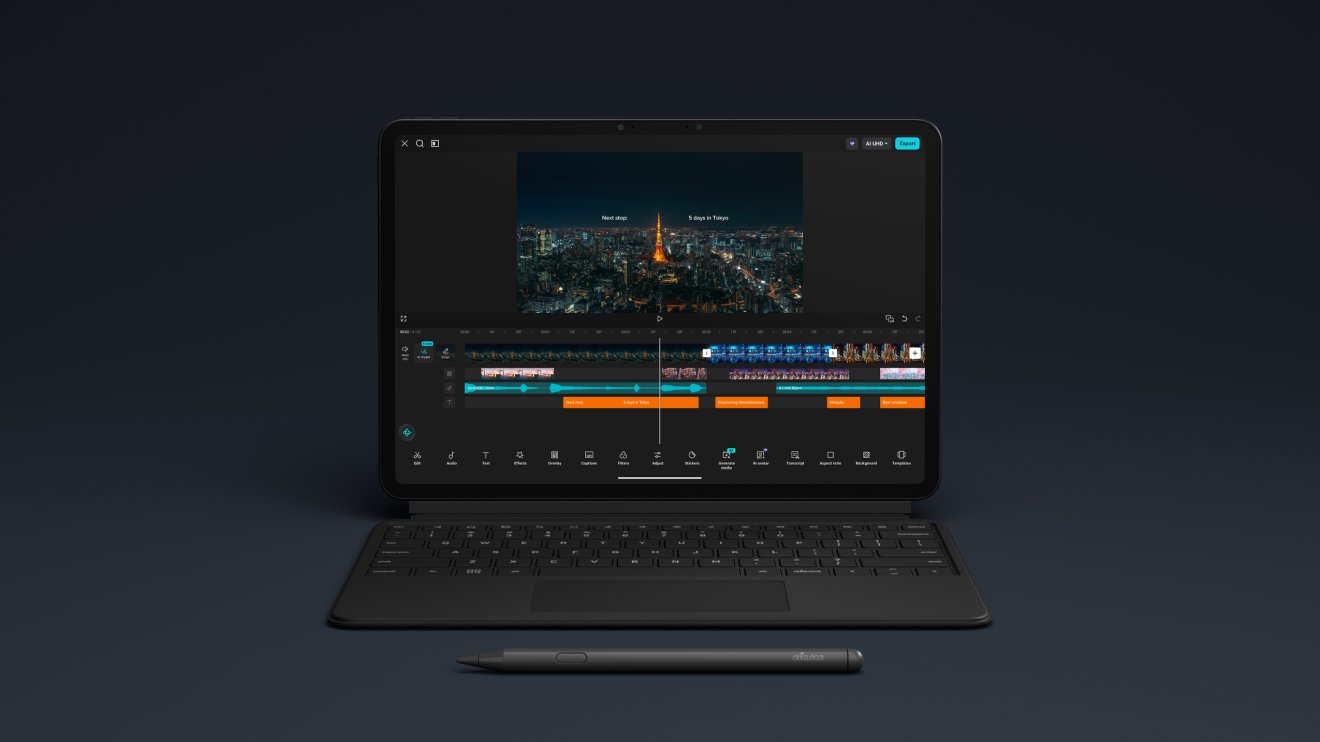
For developers and system administrators, combining the 16GB LPDDR5X RAM variant with native Android 16 opens up serious local computing capabilities. Running Debian or Arch Linux environments via Termux alongside Android 16’s native Linux terminal virtualisation (AVF – Android Virtualization Framework) works effortlessly. With 16GB of physical memory, Android’s aggressive lmkd (low memory killer daemon) stays out of the way, allowing you to keep a local code editor, a headless browser instance, an SSH session, and twelve Chrome tabs resident in RAM simultaneously without background tabs reloading when you switch focus.
2. Stylus Precision and Note-Taking on Nanomatte Glass
Amazon offers the optional Alexa Tablet Pro Pen for $89.99. Built on the Universal Stylus Initiative (USI) 2.0 protocol, the pen supports 4,096 levels of pressure sensitivity, tilt recognition for shading, and magnetic wireless charging along the top spine of the tablet.
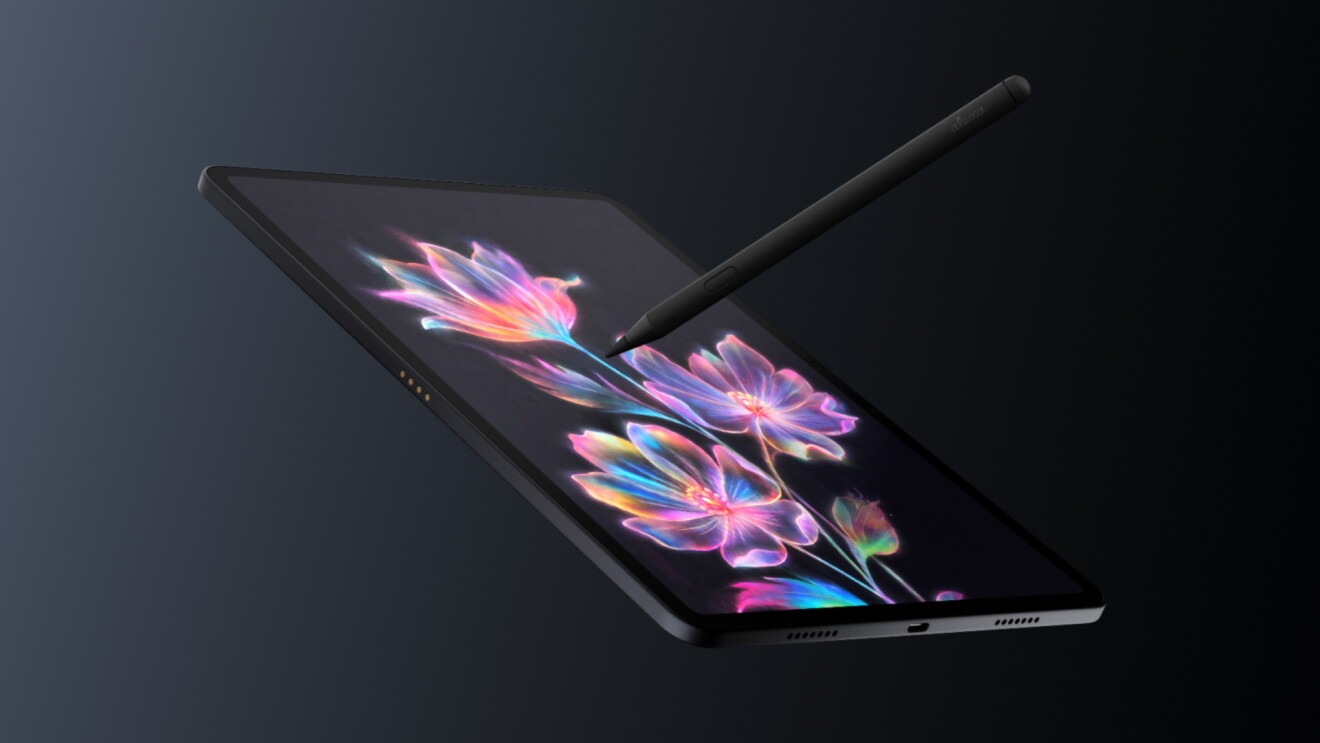
Writing with the Pro Pen on the standard glossy glass feels much like using an Apple Pencil on a standard iPad: smooth, fast, and slightly slippery, with an audible plastic tap on initial contact. Switch to the Nanomatte model, and the tactile sensation transforms completely. The micro-etched glass creates a subtle, consistent drag against the elastomer nib that closely mimics drawing with a felt-tip marker or soft graphite pencil on heavy cartridge paper. At 120Hz, touch sampling and ink prediction keep latency low enough that fast cursive handwriting tracks right behind the physical tip.
There is, however, a physical reality to etched glass that every buyer using a stylus must factor in: nib abrasion. Just as Apple’s nano-texture iPad Pro panels slowly wear down soft stylus tips, the microscopic peaks of the Corning Nanomatte glass act like ultra-fine lapping film over hundreds of hours of heavy sketching. If you annotate PDFs and take handwritten notes for four hours a day, expect to replace your USI 2.0 nibs every four to six months to maintain a smooth glide and protect the oleophobic properties of the glass.
3. Audio Monitoring and Media Consumption
When used as a portable cinema or audio reference tool, the Alexa Tablet 12 Pro punches well above its weight class. It ships with Widevine L1 DRM certification across the board, enabling full high-definition and HDR streaming in Netflix, Prime Video, Disney+, and YouTube. The 3:2 screen means 16:9 television programmes and 2.39:1 theatrical films display with black letterboxing bars at the top and bottom, though the tight native contrast of the IPS panel keeps those bars dark in ambient room lighting.
For audio workflows, the lack of a 3.5mm headphone jack requires either Bluetooth 5.3 LE connectivity (which supports LC3, LDAC, and AAC codecs) or an external USB-C DAC/amp dongle. Thanks to the clean USB 3.2 bus power implementation, plugging in a high-impedance planar magnetic headphone via a portable USB-C DAC delivers a dead-silent noise floor free from ground-loop hum or CPU whine.
Software, Firmware, and Ecosystem Friction
The single biggest story surrounding the 2026 Alexa Tablet range is the death of Fire OS. By adopting Android 16 with full Google Mobile Services (GMS) certification, Amazon has eliminated the primary reason tech-savvy shoppers steered clear of its hardware. You open the box, sign into your Google account alongside your Amazon account, open the Google Play Store, and install Gmail, Google Docs, YouTube, Slack, Lightroom, or any specialist utility from a repository of millions of applications.
Yet, this is still an Amazon device, which raises vital questions about system bloat, background telemetry, and long-term update commitments.
The Alexa+ Architecture and On-Screen Intelligence
Rather than applying a heavy, garish visual skin over Android 16, Amazon kept the core window manager, notification shade, and settings menu remarkably close to stock AOSP/Pixel Android, weaving its own services into a bespoke launcher layer and a persistent system service called Alexa+.
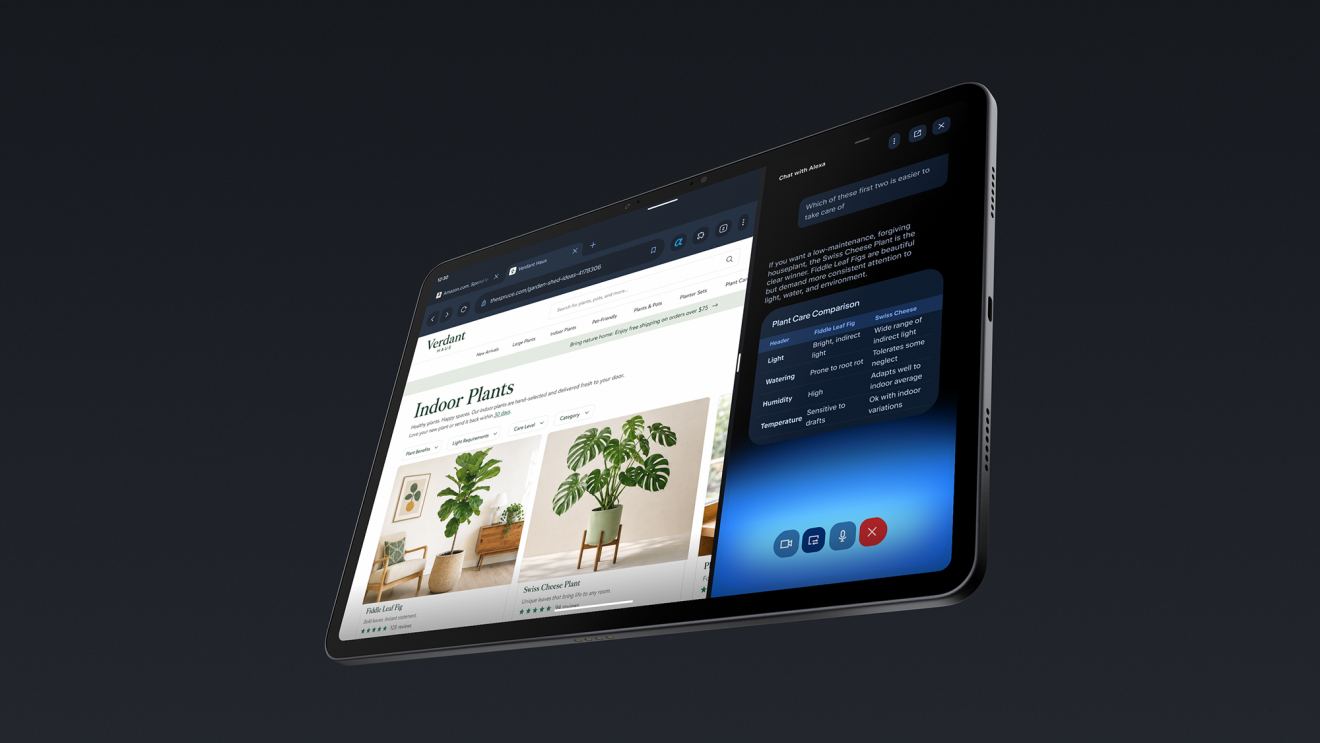
On the home screen, a dedicated Dynamic Tab and a For You feed aggregate your cross-platform Amazon activity. If you stop reading an e-book on a Kindle Paperwhite on the train, or pause a film on a Fire TV Stick 4K in the living room, the Dynamic Tab surfaces a direct resumption card on the tablet’s home screen.
The deeper architectural hook is Alexa+ On-Screen Intelligence. Summoned either by voice or by tapping a dedicated on-screen “Ask Alexa” button, the assistant can inspect the active frame buffer and view hierarchy of whatever application you currently have open. If you are looking at a complex table of dates on a webpage, you can tell Alexa+ to add every listed fixture to your calendar; if you pause a video featuring a piece of studio gear, you can ask Alexa+ to identify the item and pull up its specifications or Amazon listing.
From a privacy and systems engineering standpoint, two things stand out:
- Opt-In Security: On-Screen Intelligence is disabled by default at the kernel permission level. You must explicitly opt in before the Alexa+ daemon is granted screen-capture context rights, preventing silent background scraping of sensitive documents or banking apps.
- RAM Overhead: Because the local token-routing and context daemon for Alexa+ stays resident in memory for instant invocation, it consumes roughly 1.1GB to 1.4GB of system RAM in the background. On the 8GB base model of the 12 Pro, that leaves around 6.6GB for the OS and user applications, which is perfectly adequate for general use. However, power users who keep dozens of heavy apps open should seriously consider stepping up to the 16GB Nanomatte model to give Android 16 ample breathing room.
The Lockscreen Ad Tax and Update Longevity
One classic Amazon quirk survives on the cheaper models, though the flagship escapes unscathed. The Alexa Tablet 8 ($229.99) and Alexa Tablet 11 ($329.99) still ship with lockscreen advertisements by default, requiring a $20 ransom payment to remove them. Mercifully, the Alexa Tablet 12 Pro ships completely ad-free across all configurations. There are no sponsored wallpapers on the lockscreen, and no un-hidable promotional banners cluttering the notification tray.
Regarding software longevity, Amazon has made a massive commitment that rivals Samsung and Google: the Alexa Tablet 12 Pro (alongside the Tablet 11) is guaranteed to receive up to 7 major Android OS upgrades, with security patches supported right through to 2032. (By contrast, the entry-level Alexa Tablet 8 is limited to 3 OS upgrades, though it shares the 2032 security patch window). Buying a tablet on Android 16 knowing it is supported through to Android 23 fundamentally transforms its enterprise and educational viability.
Head-to-Head Rival Comparisons
At $499.99 to $679.99, the Alexa Tablet 12 Pro enters a fiercely contested bracket. Here is how its hardware and value proposition stack up against its three closest rivals in late 2026: the Apple iPad Air (M4, 11-inch), the OnePlus Pad 2, and the Samsung Galaxy Tab S10 FE+.
| Specification | Amazon Alexa Tablet 12 Pro | Apple iPad Air M4 (11-inch) | OnePlus Pad 2 | Samsung Galaxy Tab S10 FE+ |
|---|---|---|---|---|
| Starting Price (US / UK) | $499.99 / £449.99 | $749.00 / £699.00 | $549.99 / £499.00 | $649.99 / £599.00 |
| Display Size & Type | 12.0″ IPS LCD (Optional Nanomatte) | 11.0″ Liquid Retina IPS LCD | 12.1″ IPS LCD (Dolby Vision) | 12.4″ IPS LCD |
| Resolution & Aspect | 2800 x 1840 (280 PPI), 3:2 | 2360 x 1640 (264 PPI), ~3:2 | 3000 x 2120 (303 PPI), 7:5 | 2560 x 1600 (243 PPI), 16:10 |
| Refresh Rate | 120Hz Adaptive | 60Hz Fixed | 144Hz Adaptive | 90Hz Adaptive |
| System-on-Chip (SoC) | MediaTek Dimensity 8400 (4nm) | Apple M4 (3nm) | Qualcomm Snapdragon 8 Gen 3 | Samsung Exynos 1580 (4nm) |
| RAM / Storage Options | 8GB/128GB, 16GB/256GB (UFS 3.1) | 12GB/128GB to 1TB (NVMe) | 12GB/256GB (UFS 3.1) | 8GB/128GB, 12GB/256GB |
| MicroSD Expansion | None | None | None | Yes (up to 1.5TB) |
| USB Port & Video Out | USB-C 3.2 Gen 1 (DisplayPort Alt) | USB-C 3.1 Gen 2 (DisplayPort) | USB-C 3.2 Gen 1 (DisplayPort) | USB-C 2.0 (No Video Out) |
| Battery & Charging | 9,000mAh / 27W PD 3.0 | ~7,600mAh / 20W PD | 9,510mAh / 67W SuperVOOC | 10,090mAh / 45W PD |
| Chassis Dimensions | 6.5mm thick / 550g / IP52 | 6.1mm thick / 462g / No IP rating | 6.49mm thick / 584g / No IP rating | 6.5mm thick / 627g / IP68 |
| OS & Update Promise | Android 16 (7 OS upgrades) | iPadOS 20 (6+ years typical) | Android 15/16 (3 OS upgrades) | Android 16 / One UI (7 years) |
| Accessory Cost (KB / Pen) | $149.99 / $89.99 | $269.00 / $129.00 | $149.99 / $99.99 | $199.99 / Included in box |
1. Amazon Alexa Tablet 12 Pro vs Apple iPad Air M4
Apple’s M4 silicon remains in another stratosphere for raw single-core speed and hardware-accelerated ProRes video encoding. If your daily workflow revolves around Logic Pro, Final Cut Pro, or heavy 3D sculpting in Nomad Sculpt, the iPad Air M4 justifies its $250 premium.
However, look at the everyday ergonomics and display specifications. Apple still ships a 60Hz laminated screen on a $749 tablet in 2026, and does not offer its nano-texture anti-glare glass on the Air range at all (reserving it for the $1,299+ iPad Pro). For $549.99, Amazon gives you a larger 12-inch 120Hz display with precision-etched Nanomatte anti-glare glass. Furthermore, kitting out an iPad Air M4 with a Magic Keyboard and Pencil Pro pushes your total spend to $1,147. Buying the 16GB/256GB Nanomatte Alexa Tablet 12 Pro with Amazon’s Pro Keyboard and Pro Pen comes to $919.97, and early trade-in bundle promotions on Amazon frequently drop that complete workstation package closer to $640.
2. Amazon Alexa Tablet 12 Pro vs OnePlus Pad 2
The OnePlus Pad 2 is the closest structural rival in the Android camp, sharing a similar squarish 7:5 aspect ratio and an all-metal build. OnePlus holds an edge in peak gaming frame rates thanks to the Adreno GPU inside the Snapdragon 8 Gen 3, and its 67W SuperVOOC charging leaves Amazon’s 27W charging in the dust.
Where the Alexa Tablet 12 Pro pulls ahead is display versatility and software longevity. The OnePlus Pad 2 uses a highly reflective glossy glass panel and only promises three major Android OS updates. Amazon’s 7-year OS upgrade guarantee, optional Nanomatte anti-glare finish, IP52 splash resistance, and deeper e-reading optimisations make it the smarter long-term investment for document-heavy work.
3. Amazon Alexa Tablet 12 Pro vs Samsung Galaxy Tab S10 FE+
Samsung plays two strong trump cards with the Tab S10 FE+: it includes the excellent S Pen inside the box at no extra charge, and it retains a microSD card slot alongside full IP68 water submersion resistance.
Yet Samsung cut painful corners under the bonnet. The Tab S10 FE+ uses a 90Hz display, a weaker Exynos 1580 processor, and a crippled USB 2.0 port that cannot output video to an external monitor. For anyone who wants to dock their tablet into a desktop monitor setup or demands a 120Hz etched anti-glare screen, the Alexa Tablet 12 Pro is the superior machine.
Long-Term Ownership, Repairability, and Total Cost of Ownership
Buying into the first generation of a completely re-engineered product line requires looking closely at how the hardware will age over a five-to-seven-year lifecycle.
Battery Degradation and Thermal Ageing
Because the 9,000mAh battery is capped at a modest 27W charging ceiling, the lithium-polymer cells experience significantly less thermal and chemical stress during charging cycles than tablets pushing 65W or 80W fast charging. Combined with the efficient 4nm Dimensity 8400 and the ability to limit maximum charge to 80 percent in Android 16’s battery health settings, the cells should comfortably retain over 80 percent of their original design capacity past the 800-cycle mark (roughly three to four years of daily charging).
On the repairability front, the move to a 6.5mm stamped aluminium unibody with a laminated display assembly means screen and battery replacements require heating the perimeter adhesive and lifting the glass with suction cups. While Amazon has expanded its self-service repair parts catalogue in recent years, accidental damage to the precision-etched Nanomatte glass will be expensive to rectify out of warranty.
Pricing Tiers and Configuration Economics
Amazon structures the Alexa Tablet 12 Pro across three distinct hardware tiers:
- Base Model (8GB RAM / 128GB Storage, Standard Glossy Display): $499.99 / £449.99
- Mid-Tier Model (8GB RAM / 128GB Storage, Nanomatte Anti-Glare Display): $549.99 / £499.99
- Flagship Model (16GB RAM / 256GB Storage, Nanomatte Anti-Glare Display): $679.99 / £619.99
Because there is no microSD slot and the RAM is soldered directly to the mainboard, choosing the right tier on day one is critical. Spending $499.99 on the base glossy model misses out on the single greatest hardware differentiator of the product line. The extra $50 for the Nanomatte 8GB/128GB model ($549.99) is an absolute no-brainer; there is no other device on the market that delivers genuine chemically etched anti-glare glass at this price point. Meanwhile, if you plan to keep the tablet for the full seven years of Android OS updates, or if you intend to use Linux terminal containers and heavy desktop windowing over USB-C, the $679.99 16GB/256GB variant is worth every penny for the doubled LPDDR5X memory and UFS 3.1 storage headroom.
Final Verdict: Who Should Buy the Amazon Alexa Tablet 12 Pro?
By finally retiring Fire OS and embracing certified Android 16 with full Google Play access, Amazon has transformed its tablet division overnight. The Alexa Tablet 12 Pro is a genuinely rapid, beautifully machined, thoughtfully proportioned slate that stands toe-to-toe with the best mid-to-high-tier hardware from Apple, Samsung, and OnePlus.
Buy the Alexa Tablet 12 Pro if:
- You read, research, and annotate documents for hours every day: The combination of a 12-inch 3:2 120Hz panel, DC dimming, Kindle Sanctuary greyscale modes, and the $549.99 Corning Nanomatte etched glass makes this the finest hybrid tablet and large-format e-reader available today.
- You want a versatile USB-C workstation on a sensible budget: With USB 3.2 DisplayPort video output, native Android 16 desktop windowing, up to 16GB of LPDDR5X RAM, and 7 years of promised OS updates, it transitions seamlessly from sofa reading to a dual-screen desk setup.
- You are heavily invested in both Google and Amazon ecosystems: Having native Gmail, YouTube, Drive, and Play Store apps running side-by-side with deep Kindle, Audible, and smart-home integration ends years of awkward workarounds.
Look elsewhere if:
- You rely on massive removable local storage: The removal of the microSD card slot and a maximum internal ceiling of 256GB will frustrate offline media hoarders who refuse to carry an external USB-C thumb drive.
- You need cellular connectivity on the move: Amazon only builds Wi-Fi 6E versions of the Alexa Tablet 12 Pro; there is no 5G or eSIM variant for field workers away from a mobile hotspot.
- You require specialist iPadOS creative software: While Android’s creative app catalogue has matured considerably, illustrators tied to Procreate or audio engineers wedded to Logic Pro for iPad will still need to pay the Apple tax.