
Three in the morning, and the phone wins again
You wake up at 3 a.m., and the Amazon Echo Time does what your phone won’t: it tells you the time and then shuts up.
The article contains links that when clicked on and made purchase through, I may receive a commission. This helps support the website
Anyone who has reached for a phone in the dark knows how rare that is. You wanted 3:07. You got forty minutes of email, headlines, and a video of a raccoon opening a cooler. By the time you put it down, your night is over.
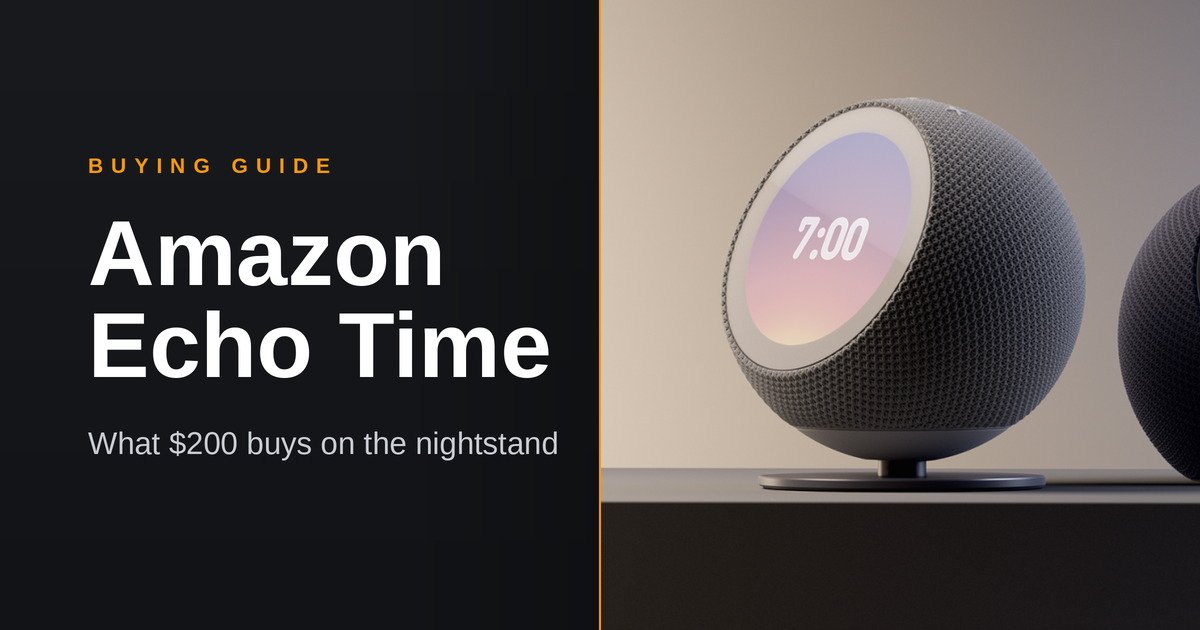
That’s the problem a bedside clock solves, and it’s why people keep buying them long after phones made them “redundant.” Amazon’s answer is a $199.99 sphere with a 3.2-inch round touchscreen, no camera, and a small suite of sensors aimed at the person sleeping next to it.
It looks like a clock. It behaves like a clock. It is also an Echo, which means it does everything an Echo does, including the parts you’ll never use and the parts you’ll use every single day.
The part that decides whether it’s worth two hundred dollars isn’t the screen or the speaker. It’s the sensor, and what it does with your night.

As an Amazon Associate, we earn from qualifying purchases.
The sensor, and what it will not tell you
Start here. Everything else about this device is easier to judge once you understand what the sensor does.
Amazon calls the sensor stack Omnisense, and it’s three things working together:
- Ultrasound reads breathing motion and how far you are from the device.
- Presence detection works out whether a body is in the bed at all.
- A room temperature sensor watches the conditions you sleep in.
On paper, that’s enough to infer sleep stages. In practice, it does one job: deciding whether to move your alarm earlier. The inference happens, the alarm shifts, and the reasoning disappears.
So, plainly: the Echo Time senses your sleep. It does not track it.
Open the Alexa app after a night with it and you’ll find a device, some settings, and an alarm list. No sleep score. No graph of your night. No breathing chart, no “you slept 6h 12m,” no history to scroll through on a Sunday morning, no export, no handoff to Apple Health or Google Fit. If you want numbers, you need a ring, a watch, or a mat.
Amazon never actually promises a sleep report. Its language is careful: the sensors “build your sleep routine.” Fair enough. But a glowing sphere on your nightstand with an ultrasound sensor inside it invites the other assumption, and the difference matters when you’re the one spending the money.
Placement is everything, and you’re guessing
If the sensors exist only to move an alarm, then the alarm is only as good as where the clock sits.
The guidance is specific: within arm’s reach of the pillow, no more than about four feet away, a little above mattress height, angled at your torso.
The device gives you no feedback on whether you hit that. No calibration score. No “signal weak” warning. No morning note saying it lost you at 2 a.m. You can spend a month aimed slightly wrong and never learn why the smart alarm stayed quiet.
Good placement, bad placement, no way to tell. That’s the weakest link in the whole feature.
Your microphone has a say in this
The smart alarm needs the microphones live. All four. Mute the Echo Time with the button on top and the ultrasonic sensing goes with it, which means the early wake-up goes with it.
That’s a real trade for a bedroom device. Plenty of people keep an Echo muted at night on principle. Do that here and you’ve bought a clock with a nice screen and a very good night mode. Which may be fine. Just know which trade you’re making.
The reliability problem
In practice, the feature has been erratic. Sometimes it fires early and does exactly what the brochure says. Sometimes it lets you sleep until the final alarm, which is the opposite of the promise. Some testers have never seen it work at all.
Amazon has acknowledged a bug that suppressed the early wake-ups and says a fix was rolling out in late November 2026. Good on them for owning it. It still tells you where this product is in its life: you are buying a first-generation feature that is still being debugged.
If you need to be upright at 6:15 for a flight, do not bet the flight on a beta.

What $199.99 actually gets you
| Spec | Echo Time |
|---|---|
| Price | $199.99 list;$149.99 during holiday sales |
| Display | 3.2-inch circular touchscreen, 480 × 480, LCD |
| Size | 127 × 118.5 × 114.2 mm |
| Camera | None |
| Sensors | Ultrasound, presence detection, ambient temperature |
| Mics | Four |
| Chip | Amazon AZ3 |
| Speaker | Single 44.5 mm full-range driver, rear-firing |
| Wireless | Wi-Fi 6E, Bluetooth (in and out), Zigbee, Matter, Thread border router |
| Power | 15 W adapter; roughly 3 W idle |
| Colors | Graphite, Glacier White, Coral Pink |
| Stand | Sold separately, $39.99 |
| Kids version | $209.99, includes a year of Kids+ |
A few notes on that table, because specs lie by omission.
The screen is LCD, not OLED. That matters at night. Black isn’t black; the whole panel glows faintly even in night mode. At its dimmest it still throws a slight wash of light into a dark room, though not enough to bother you at pillow distance. If you need absolute darkness to fall asleep, that’s a genuine consideration, and the fix is to turn the display off entirely.
There’s no battery. Unplug it and the clock stops. A power cut silences the alarm until the power comes back. Settings survive a brief outage, but a smart clock without a battery is a clock with a single point of failure. For most people that’s fine. For anyone who’s been woken by a 4 a.m. power flicker resetting every clock in the house, it’s worth knowing.
The stand is not included. Thirty-nine ninety-nine for a magnetic, tilting, swiveling base. It’s a nice piece of hardware and it solves a real problem, aiming the screen at your face, but charging extra for the stand on a $200 clock is a choice Amazon made and you get to have feelings about it.
Living with it: night one through night seven
Setup takes about five minutes. Plug it in, open the Alexa app, scan, connect to Wi-Fi, pick a clock face. You’ll do most of that in the app, which is fine, because the screen is happier as a display than as an interface.
The clock faces are the fun part, and also a slight con. Amazon says hundreds. Plenty of those “hundreds” are the same design in different colors and fonts. There are maybe two or three dozen layouts that actually look different: analog, digital, weather-forward, nature scenes, a few licensed character faces. That’s still plenty. Just don’t expect hundreds of distinct ideas.
You can change them by long-pressing the face and swiping, or by voice if you know the name of the one you want. The voice route is faster once you’ve found a favorite.

The alarm sounds are good. Eleven tones, all of which start quiet and get louder, and if you hit snooze they escalate. Up to four snoozes before it stops being polite about it. That ramp is the single most humane thing about the product.
Snoozing is easy. Tap the screen. Say “Alexa, snooze.” That’s it. In the dark, half-awake, you will not fumble for this.
The sunrise effect is too bright. The screen brightens gradually before your alarm, which sounds lovely. In a properly dark room at 6 a.m., it goes from gentle to headlights faster than you’d like. There’s no brightness cap and no color-temperature control, so it’s not a real wake-up light. A Philips or a Hatch does that job with more finesse.
Worse: at launch, you could only disable the sunrise effect from the device itself, not from the Alexa app. When it’s too bright, you have to remember where the setting lives while you’re standing at the nightstand at 6 a.m.
Night mode is the best thing here. After dark, the display drops to a black background with red numerals, cuts blue light, and dims to somewhere under 0.3 nits. That is dim. Dimmer than most alarm clocks, dimmer than a phone at minimum brightness. In a dark bedroom it reads as a soft red glow rather than a light source.
And if you want zero light, just say “Alexa, display off.” The clock keeps working, the alarm keeps working, the screen goes dark until you touch it or ask for the time.
The touchscreen is slow. Swiping down for the control panel has a visible lag. Setting an alarm by touch takes longer than it should, with each option loading like it’s thinking about it. You’ll end up doing almost everything by voice, which is fine, but don’t buy this expecting an iPad experience. It’s a clock with a touchscreen, not a small tablet.
The $19.99 question
This is the other question that decides the purchase, and the answer is annoyingly conditional.
Alexa+ is Amazon’s newer, chattier assistant, and the Echo Time runs on it. The device ships with early access included, so you get the full experience out of the box for a while. After that:
- With Prime ($139/year), Alexa+ is included at no extra cost.
- Without Prime, Alexa+ is $19.99/month in the US.
Some of the Echo Time’s headline behavior depends on Alexa+. Setting an alarm by describing your morning (“I need to leave at 8, don’t let me forget my lunch”) is an Alexa+ trick. The conversational wind-down stuff is Alexa+ too.
Basic alarms, timers, weather, music playback, smart home control, and the clock itself don’t need Alexa+ at all. So if you’re a Prime household, none of this matters. You already have it. If you’re not, do the math before you buy: a $200 clock plus$19.99 a month is a $440 first-year purchase, and that’s a different product category.
The good news is that Amazon doesn’t auto-enroll you in the subscription after the early access window. You have to opt in. The bad news is that “some features require Alexa+” is the kind of phrase that means you won’t find out which ones until you’re standing in your bedroom at 11 p.m. wondering why Alexa is being terse.
Sound: fine for rain, wrong for Radiohead
One 44.5 mm driver, firing out the back. That’s the same class of speaker as the base Echo Dot, and it sounds like it.
For a bedside device, that’s mostly the right call. White noise, rain sounds, a podcast at low volume, an audiobook before bed, all perfectly pleasant. Vocals come through clearly, which is what matters at 11 p.m.
For music, it’s thin. Bass gets muddy and boomy at the same time, which is an achievement. Crank it and the low end loses what little punch it had. Clarity is missing across the board, and the device is much better suited to podcasts and audiobooks than to music.
That’s not a scandal. It’s a $200 clock with a speaker in it, not a$200 speaker with a clock on it. But if you were hoping this could replace the Echo Studio in the bedroom, it can’t.

Bluetooth runs in both directions, which is handy: stream from your phone, or push audio out to a better speaker. That’s a nice escape hatch for the music problem.
It’s also a smart home hub, which may be the most underrated feature
Buried in the spec sheet: Zigbee, Matter, and Thread, plus a Thread border router. In plain English, the Echo Time can talk directly to a lot of smart bulbs, plugs, sensors, and locks without a separate hub, and it can bridge Thread devices onto your network.
For a bedroom, that means the clock can be the thing that turns off the lamp and drops the thermostat at bedtime, and the thing that raises the blinds in the morning. If you’re building out a smart home anyway, this offsets some of the price. If you’re not, it’s a feature you’ll never touch.
There’s also a temperature sensor, calibrated over the first few days, that reports the room’s temperature in the Alexa app and by voice. Small thing. Genuinely useful when you’re trying to figure out why you keep waking up at 3 a.m.
The privacy question
No camera. That’s the headline, and it’s the right call for a device pointed at your bed. Amazon clearly knows it, which is why the camera never made it onto the spec sheet.

Beyond that:
- There’s a physical mute button on top that cuts the microphones. A red ring tells you it’s on.
- Amazon says sleep sensing is opt-in, and you can turn it off in the Alexa app.
- If you mute the mics, the smart alarm stops working. See above.
- Amazon processes the sensor data, but doesn’t show it back to you. That asymmetry is worth sitting with. The device learns about your breathing; you don’t get to see what it learned.
None of this is disqualifying. It’s just the honest accounting. If a camera-free, mic-mutable device that senses breathing is fine for you, proceed. If you want a bedroom with zero sensors, a $25 analog alarm clock is undefeated.
How it stacks up
| Device | Price | What it is | Who it’s for |
|---|---|---|---|
| Echo Time | $199.99 | Spherical smart clock with sleep sensing and Alexa+ | Prime households that want one nightstand device to do everything |
| Echo Spot (2024) | $79.99 | Half-screen Echo clock with a wedge shape | Anyone who wants 80% of the clock for 40% of the price |
| Echo Dot (5th gen) | ~$50 | Small speaker, no display | Bedrooms where the phone stays on the nightstand |
| Echo Dot with Clock | Discontinued | The old LED-dot clock | Buy used if you liked it; it’s not coming back |
| Hatch Restore 3 | $169.99 | Sunrise lamp, sound machine, no assistant | Sleep-first buyers who don’t want Alexa in the bedroom |
| Loftie Clock | $169.99 | Deliberately dumb smart clock, no mic | People who want a clock that refuses to talk to the internet |
| Plain alarm clock | $20–30 | A clock | Everyone who just wants to know the time |
The Echo Spot comparison is the one that stings. It’s $79.99, it has a display, it does Alexa, it has an alarm. What it doesn’t have is the ultrasonic sensor, the round screen, the sunrise effect, or the nicer build. Is that worth$120? For a lot of people, no.
The Hatch and Loftie comparisons cut differently. Those are sleep products that happen to tell time. The Echo Time is a smart speaker that happens to face the bed. If your actual goal is sleeping better, and you don’t care about Alexa, the Hatch does more for sleep, with actual sunrise light, actual sleep sounds, actual routine programming, for less money.
One comparison doesn’t fit neatly in a table: a $25 alarm clock and a$50 Echo Dot, sitting side by side. That’s the cheapest version of this setup, and it covers most of what the Echo Time does, in two boxes instead of one. The remaining $125 buys the round screen, the dimming, the sunrise glow, and a nightstand that isn’t cluttered. Whether that’s worth it is a taste question, not a spec question.
Who should buy it
Buy it if:
- You’re already in the Alexa ecosystem and want the bedroom to be part of it.
- You want one device that’s a clock, a speaker, a white-noise machine, and a smart home hub, and you have the nightstand space.
- You’re a Prime member, so Alexa+ costs you nothing extra.
- You find the sunrise effect appealing and you don’t need pitch-darkness.
- You can catch it at $149.99.
Skip it if:
- You want sleep data. You will not get sleep data. This is the whole ballgame.
- You’re not a Prime member and don’t want a $19.99/month subscription.
- You need an alarm that is guaranteed to work exactly as specified, every time. A first-gen feature with a known bug is not that.
- You need a battery backup, or you live somewhere with unreliable power.
- You’re buying it primarily as a music speaker.
- You want a wake-up light. This isn’t one.
Wait if:
- You don’t need it this month. The $149.99 price has already appeared once, and first-gen software usually settles within a few months. Both of those argue for revisiting it in spring.
- You want a genuinely good sunrise light. Brightness and sensor tuning are hardware problems, and no update is going to fix them.
How to buy it without overpaying
Watch the price, not the calendar. List is $199.99. Holiday pricing dropped it to$149.99 across all three colors, and the stand bundle hit $183.98 against a$239.98 list. That bundle is the better deal if you were going to buy the stand anyway, which you probably were.
Do the stand math first. $199.99 +$39.99 = $239.98. The bundle came in at$183.98, which is $56 off list and a few dollars cheaper than buying the two separately during the same sale. If you’re on the fence about the stand, know that without it the screen points straight ahead, which on a low nightstand means you’re looking at it from above at a bad angle. Most people end up wanting it.
Consider the Kids version, carefully. It’s $209.99 with a year of Kids+ included, and it comes in two kid-friendly colors. But sleep sensing is disabled in kids mode, which removes the main feature. If you’re buying for a child, you’re buying a clock, a bedtime routine tool, and a parental-controlled Alexa. That’s a reasonable product. It’s just not the same product.
Buy from somewhere with a real return window. This is a new device with a known bug and a feature you can’t evaluate in a store. Thirty days of sleeping next to it is the only honest trial.
Skip the extended warranty. Amazon’s standard coverage plus a credit card’s extended protection is enough for a device in this class.
Setup checklist for the first night
Five minutes of configuration saves you a week of annoyance.
- Place it within arm’s reach of the pillow, slightly above mattress height, angled at your chest. This is the difference between the sensor working and not.
- Check that sleep sensing is on in the Alexa app. The smart alarm needs it, and it’s not something you want to discover at 6 a.m.
- Set the smart window to 10 or 15 minutes, not 60. A one-hour window means you can be woken an hour early, and most people hate that more than they like the theory.
- Kill the sunrise effect on the device itself if you sleep in a dark room. You can’t do it from the app.
- Set night mode to start at your bedtime, and drop the brightness.
- Test the alarm once, out loud, at full volume, before you trust it.
- Decide about the microphones. Muted means no smart alarm. Unmuted means a live mic in your bedroom. Pick deliberately.
- Write down the name of the face you love, so you can get back to it by voice after someone inevitably changes it.
FAQ
Does the Amazon Echo Time need Wi-Fi? Yes. Without it you get no Alexa, no weather, no music, and no guarantee the clock is showing the right time. There’s no battery, either, so a power cut silences the alarm outright. This is not the clock to own if your router is flaky.
Can I use it without Prime? Yes, for the basics: alarms, timers, weather, music, smart home control. The Alexa+ features, including the conversational alarm setting, need a subscription after the early access period. Prime includes it; otherwise it’s $19.99/month in the US.
Does it track my sleep? No. It senses breathing and presence to time your alarm. It doesn’t give you sleep stages, scores, history, or exportable data. That distinction is the one that matters most before you buy.
Will it wake me earlier than my alarm? It can, by 10 to 60 minutes, depending on how you set the window. That’s the feature. Whether it fires reliably is the open question, and Amazon has acknowledged a bug that got in the way.
Can I turn the screen off at night? Yes. Say “Alexa, display off,” or let night mode dim it to a faint red. The alarm still works either way.
Is there a camera? No. That’s deliberate, and it’s the right call.
Can it replace my sound machine? Mostly. It plays ambient sounds and white noise through Alexa, and you can run them for hours. It’s not as flexible as a dedicated sound machine with physical controls, but it’s one less box on the nightstand.
Does the sunrise light work without smart bulbs? Yes, the screen does it on its own. It’s just a screen glow, not a room-filling lamp, and it can get brighter than you’d like.
**Is the Amazon Echo Time worth $199.99?** At list price, only if you’re a Prime household that wants one device to be clock, speaker, hub, and alarm. At$149.99, it’s a much easier yes. Below that, it’s a genuinely good deal for what it does, as long as you’re not buying it for sleep tracking.
The verdict
The Echo Time is a well-made bedside clock with a good screen, a warm night mode, a decent speaker for the things you actually play in bed, and a smart home hub you might use more than you expect.
The Amazon Echo Time is not a sleep tracker. It doesn’t claim to be one, and it doesn’t need to, but the sensors invite the assumption and the app never corrects it. That distance between what the device senses and what it shows you is the single most important thing to understand before you spend the money.
Buy it for the clock. Buy it for the screen that finally gets you off your phone at 3 a.m. Buy it at $149.99 if you can. And if you’re buying it because you want to know how you slept, buy a ring instead.