
Samsung Galaxy Tab A11 Plus Review: Specs, Performance, Design, Pros and Cons

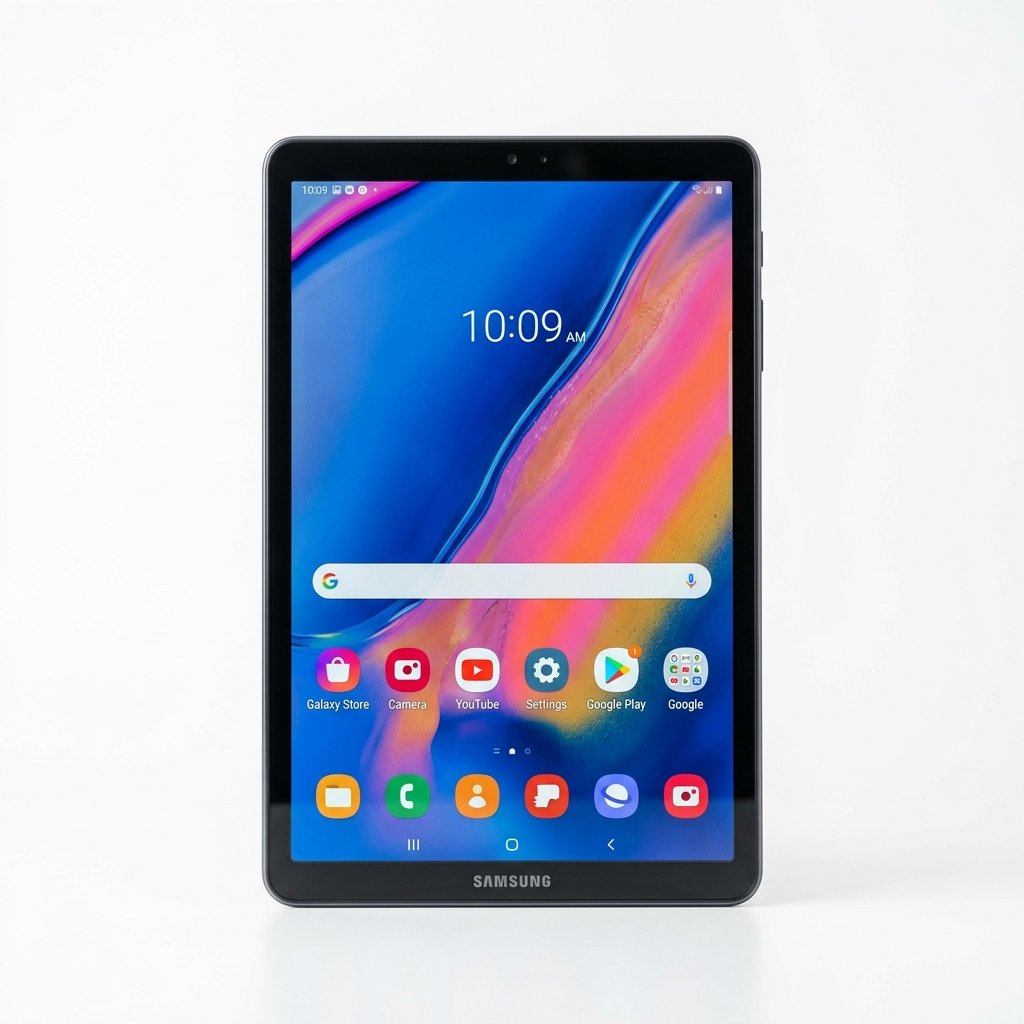
A Samsung tablet shown from the front and back. The front view displays a large rectangular screen with thin black bezels and a centered front-facing camera along the top edge. The screen shows an abstract green and teal gradient wallpaper with overlapping circular shapes. Behind it, the back of the tablet is visible in dark gray, with the Samsung logo near the top left and a single rear camera in the top right corner.

This Samsung Galaxy Tab A11 Plus review discusses what the tablet offers, where it improves on the previous generation, and whether it is a smart long-term purchase in the budget Android tablet market.


Introduction: Where the Galaxy Tab A11 Plus Fits

The Android tablet market has changed significantly over the past few years. Budget tablets are no longer viewed as short-term devices meant only for casual browsing. Buyers now expect smooth performance, decent displays, long battery life, and, increasingly, long-term software support. Samsung has responded to these expectations with the Galaxy Tab A11 Plus.

Positioned as the successor to the Galaxy Tab A9 Plus, the Tab A11 Plus does not attempt to reinvent Samsung’s tablet design language. Instead, it focuses on practical improvements: a smoother display, more efficient performance hardware, faster charging, and a software support promise that is unusually generous for this price category.

This review focuses strictly on verified specifications, real-world usability, strengths, limitations, and long-term value. Marketing claims are avoided where they cannot be independently confirmed, and comparisons are kept realistic for the class of device this tablet belongs to.


Full Specifications Overview

Before evaluating the experience, it is important to establish what the Samsung Galaxy Tab A11 Plus offers on paper.

Display

  • Size: 11.0 inches
  • Resolution: 1920 × 1200 pixels (WUXGA)
  • Aspect ratio: 16:10
  • Panel type: TFT LCD (as specified by Samsung, not AMOLED)
  • Refresh rate: Up to 90 Hz

Processor and Memory

  • Chipset: Varies by region and model
    • MediaTek Dimensity 7300 (4 nm) on certain 5G variants
    • MediaTek MT8775 on some regional SKUs
  • GPU: Mali-G615 series on Dimensity 7300 variants
  • RAM options: 6 GB or 8 GB
  • Internal storage: 128 GB or 256 GB
  • Storage expansion: microSD card support up to 2 TB

Battery and Charging

  • Battery capacity: 7,040 mAh
  • Charging speed: Up to 25 W wired charging
  • Wireless charging: Not supported

Cameras

  • Rear camera: 8 MP
  • Front camera: 5 MP
  • Video recording: 1080p at 30 fps (front and rear)

Audio and Ports

  • Speakers: Quad-speaker system
  • Audio enhancement: Dolby Atmos support
  • Headphone jack: 3.5 mm
  • Port: USB Type-C

Connectivity

  • Wi-Fi: Dual-band Wi-Fi (Wi-Fi 5 class)
  • Bluetooth: Supported
  • Cellular: Optional 5G on select models
  • GPS: Available on cellular variants

Software

  • Operating system at launch: Android 16
  • Interface: Samsung One UI 8
  • Update policy: Samsung states support for up to seven major Android OS updates

Physical Characteristics

  • Thickness: Approximately 6.9 mm
  • Weight: Around 480 g (Wi-Fi model)
  • Colors: Gray, Silver

Design and Build Quality

Samsung has taken a conservative approach to design with the Galaxy Tab A11 Plus. At first glance, it looks almost identical to the Tab A9 Plus, which may disappoint users hoping for a visual refresh. However, familiarity also brings practical benefits.

Amazon Product

Materials and Construction

The tablet uses a metal body with a matte finish that resists fingerprints and smudges. The construction feels solid, with no creaking or flex during normal handling. For a device in this price range, the build quality is reassuring and consistent with Samsung’s reputation for reliable hardware.

Ergonomics and Handling

At roughly 480 grams, the Tab A11 Plus is light enough for extended handheld use. Reading, browsing, and casual gaming can be done comfortably without excessive fatigue. The bezels are thicker than those found on premium tablets, but they are evenly sized on all sides, which improves grip and reduces accidental touches.

Buttons and Ports

Samsung adjusted the placement of the power and volume buttons compared to the previous generation. While this does not affect functionality, users upgrading from older Samsung tablets may need a brief adjustment period.

One important design decision is the continued inclusion of the 3.5 mm headphone jack. As many manufacturers remove wired audio support, this remains a practical feature for students and users who prefer wired headphones.


Display Quality and Viewing Experience

The display is one of the most important elements of any tablet, and it plays a major role in determining whether the Galaxy Tab A11 Plus feels modern or outdated.

Resolution and Sharpness

With a resolution of 1920 × 1200 on an 11-inch panel, the display delivers adequate sharpness for its intended use. Text appears clear, icons are well defined, and 1080p video content looks crisp. For reading ebooks, browsing websites, and watching streaming content, the resolution is well balanced.

90 Hz Refresh Rate

The 90 Hz refresh rate is one of the tablet’s standout features in the budget category. Scrolling through menus, web pages, and social media feeds feels smoother than on standard 60 Hz panels. This contributes significantly to the perception of responsiveness and makes daily use more enjoyable.

Amazon Product

Color and Brightness

As a TFT LCD panel, the display does not offer the deep blacks or high contrast of AMOLED screens. Colors are natural rather than punchy, which is acceptable for general media consumption. Brightness levels are suitable for indoor use and shaded outdoor environments, though direct sunlight can reduce visibility.

Viewing Angles

Viewing angles are adequate but not class-leading. When viewed from sharp angles, brightness and color consistency decrease slightly. This is typical for tablets in this price segment and is unlikely to be an issue for single-user viewing.


Performance and Real-World Usage

Performance is one of the most meaningful improvements in the Galaxy Tab A11 Plus compared to its predecessor.

Chipset and Efficiency

Depending on region, the tablet uses either the MediaTek Dimensity 7300 or the MT8775 chipset. On models equipped with the Dimensity 7300, performance and efficiency are notably improved over older mid-range chips used in previous generations.

Everyday tasks such as app launching, web browsing, and interface navigation feel smooth and responsive. The tablet handles typical workloads comfortably without frequent stutters.

Multitasking

With up to 8 GB of RAM available, multitasking performance is improved. Split-screen mode works reliably, and apps are less likely to reload when switching between them. This makes the tablet more practical for light productivity tasks such as note-taking, document viewing, and research.

Gaming Performance

Casual and moderately demanding games perform well. Titles such as Asphalt, PUBG Mobile, and Call of Duty Mobile run smoothly at medium settings. More demanding games like Genshin Impact are playable at lower settings, though frame drops can occur. This tablet is suitable for casual gaming rather than high-end mobile gaming.

Amazon Product

Thermal Behavior

Thermal management is stable. During extended use, the tablet becomes warm but not uncomfortable, and sustained performance remains consistent without aggressive throttling.


Software Experience and Updates

Software is arguably the strongest aspect of the Galaxy Tab A11 Plus.

Amazon Product

Android 16 and One UI 8

Out of the box, the tablet runs Android 16 with Samsung’s One UI 8. The interface is clean, well optimized for large screens, and visually consistent. Animations are smooth, and navigation feels refined.

Update Policy

Samsung publicly states that it plans to provide up to seven major Android OS updates for the Galaxy Tab A11 Plus. This is an official commitment from Samsung and is unusually generous for a budget tablet. While long-term update delivery depends on Samsung’s execution, this policy significantly improves the device’s long-term value.

Samsung DeX

Samsung DeX is supported, allowing the tablet to switch to a desktop-like interface. While it does not replace a laptop, it is useful for basic productivity tasks when paired with a keyboard and mouse.


Battery Life and Charging

Real-World Battery Life

The 7,040 mAh battery allows the Galaxy Tab A11 Plus to last a full day under mixed usage. Video streaming, web browsing, reading, and light multitasking can be completed without needing a recharge. Standby efficiency is good, with minimal battery drain when the tablet is idle.

Amazon Product

Charging Speed

Support for 25 W wired charging is a meaningful improvement over older budget tablets. A full charge typically completes in under two hours with a compatible charger. Wireless charging is not supported, which is expected at this price level.


Cameras and Audio

Camera Performance

The 8 MP rear camera and 5 MP front camera are functional rather than impressive. They are suitable for video calls, online classes, document scanning, and occasional snapshots. Image quality is limited by modest dynamic range and weak low-light performance. This tablet is not designed for photography-focused use.

Amazon Product

Microphones

Microphone quality is adequate for voice calls and video conferencing. Speech is clear in quiet environments, and background noise handling is acceptable for a tablet.

Speakers and Audio Output

Audio is one of the tablet’s strengths. The quad-speaker system with Dolby Atmos produces a wide and immersive soundstage. Volume levels are sufficient to fill a room, making the tablet well suited for movies and video content. The inclusion of a headphone jack adds flexibility.

Amazon Product

Connectivity, Accessories, and Expandability

The Galaxy Tab A11 Plus supports dual-band Wi-Fi and Bluetooth for accessories such as keyboards and headphones. Select models include 5G connectivity, which is useful for users who need constant internet access on the move.

Expandable storage via microSD up to 2 TB significantly increases flexibility and longevity. However, the tablet does not support the S Pen, which limits its appeal for stylus-based note-taking or creative work.


Pros and Cons

Pros

  • Improved performance over previous generation
  • Smooth 90 Hz display
  • Strong battery life with faster charging
  • Long-term software update commitment
  • Quad speakers and headphone jack
  • Expandable storage

Cons

  • No S Pen support
  • TFT LCD display with average viewing angles
  • Cameras are basic
  • Minimal design changes

Final Verdict

This Samsung Galaxy Tab A11 Plus review shows a tablet that succeeds by focusing on fundamentals rather than flashy features. Samsung prioritized smoother performance, longer software support, solid battery life, and a reliable multimedia experience.

For students, families, and general users looking for a dependable Android tablet that should remain supported for many years, the Galaxy Tab A11 Plus represents strong value. As long as expectations align with its budget positioning, it is a sensible and future-proof choice.

Amazon

Similar Posts

Leave a Reply

Your email address will not be published. Required fields are marked *