
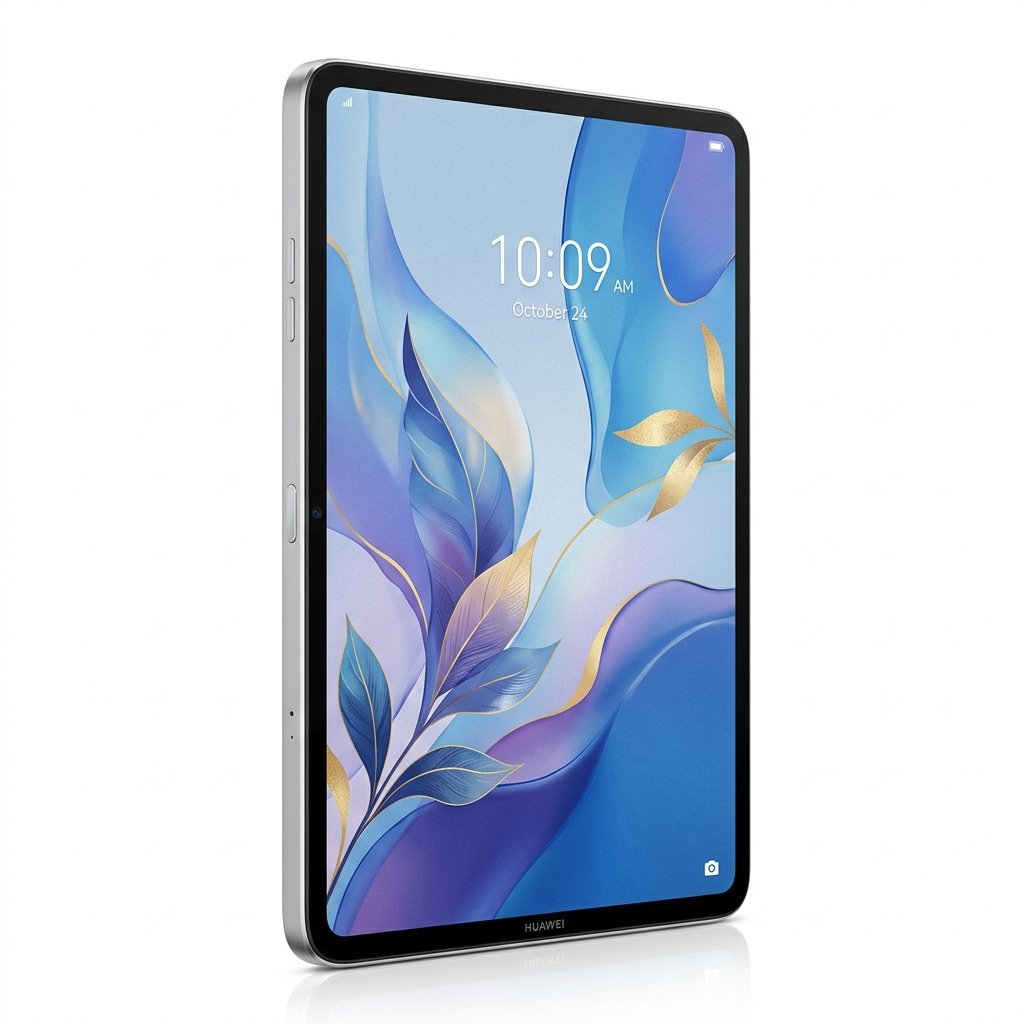
Huawei MatePad Pro 12.2″ PaperMatte Review: A Serious Tablet Built for Focus, Creativity, and Long-Form Use

Front view of a HUAWEI MatePad Pro 12.2-inch tablet attached to a white keyboard case, showing a thin-bezel display with a gold abstract ribbon graphic and on-screen text reading “12.2”, “Tandem OLED”, and “PaperMatte Display.”

Introduction

The premium tablet market has reached a point where most devices feel interchangeable. Large glossy displays, thin designs, and powerful processors are now expected rather than exceptional. What often receives less attention is how comfortable these devices are during long sessions of writing, reading, or drawing.

Huawei approaches the MatePad Pro 12.2 PaperMatte Edition from a different perspective. Instead of focusing exclusively on raw performance or entertainment, this model emphasizes visual comfort, reduced glare, and pen-centric interaction. The PaperMatte edition is not a cosmetic change. It introduces a distinct display surface combined with OLED technology, intended to address common fatigue and control issues associated with extended tablet use.

This MatePad Pro 12.2″ PaperMatte review evaluates whether those design decisions translate into real-world benefits and whether the MatePad Pro 12.2″ PaperMatte is a sensible long-term tablet choice.


Design and Build Quality

The MatePad Pro 12.2 features a slim metal unibody design consistent with modern flagship tablets. Despite its large display and high battery capacity, the device remains thin and relatively lightweight for its size.

Weighing just over 500 grams and measuring roughly 5.5 mm thick, the tablet is comfortable to hold for reading and note-taking in portrait orientation, while remaining stable when used with a keyboard in landscape mode.

Buttons are positioned to avoid accidental presses during stylus use. The rear camera housing is minimal and unobtrusive, reinforcing the tablet’s productivity-first focus rather than emphasizing photography.

Overall, build quality feels solid and refined, suitable for daily use without feeling delicate.


PaperMatte OLED Display Explained

The display is the defining feature of the MatePad Pro 12.2 PaperMatte Edition.

Huawei uses a 12.2-inch OLED panel with a resolution of 2800 × 1840, delivering sharp text and detailed visuals appropriate for productivity, creative work, and media consumption. Pixel density is sufficient to keep text crisp at normal viewing distances.

Huawei’s “Tandem OLED” Approach

Huawei markets this panel as a Tandem OLED display, a term the company uses to describe its approach to improving brightness efficiency and display consistency. While Huawei attributes this to layered OLED technology, detailed third-party verification of the internal panel structure is limited.

In practical use, the display maintains strong brightness and contrast during extended sessions without obvious dimming or color instability.

Amazon Product

PaperMatte Surface Characteristics

The PaperMatte finish diffuses incoming light at a microscopic level, significantly reducing reflections from overhead lighting and windows.

In everyday use:

  • White backgrounds resemble paper rather than glass
  • Reflections are muted instead of mirror-like
  • Visual fatigue is reduced during long reading or writing sessions

Unlike older matte displays, the PaperMatte surface avoids heavy grain or sparkle, preserving clarity and color depth.


Brightness, Color, and Motion

The display supports a wide color gamut and brightness levels suitable for indoor and mixed lighting environments. OLED contrast provides deep blacks and consistent color reproduction across viewing angles.

Huawei enables a high refresh rate display mode, though the exact maximum refresh rate varies by region and configuration and is not consistently specified across all PaperMatte listings. Regardless of the precise figure, interface motion and stylus response feel smooth and responsive in everyday use.

This contributes to a more natural experience when scrolling, switching apps, or writing with the stylus.

Amazon Product

Everyday Viewing Experience

For reading-focused tasks, the MatePad Pro 12.2 PaperMatte performs particularly well. Reduced reflectivity allows users to read documents, ebooks, and PDFs comfortably under bright lighting without constant angle adjustments.

Long-form reading benefits from the combination of OLED clarity and matte glare reduction. Unlike glossy tablets that can become visually tiring, the PaperMatte display remains comfortable during extended sessions.

Video content also benefits from OLED contrast. While reflections are diffused, overall image quality remains strong, making the tablet suitable for mixed productivity and entertainment use.


Performance and Hardware

Huawei equips the MatePad Pro 12.2 with a modern in-house chipset designed for tablet-class performance, paired with up to 12 GB of RAM and 256 GB or 512 GB of internal storage.

Exact processor naming varies by region and is not always disclosed consistently. In real-world use, performance is well suited to:

  • Multitasking with split-screen apps
  • Large documents and reference materials
  • Drawing applications with multiple layers
  • Light to moderate media editing

Rather than prioritizing benchmark peaks, the tablet appears tuned for stable, everyday performance.


Multitasking and Productivity

HarmonyOS on the MatePad Pro 12.2 is optimized for large displays. The system supports split-screen layouts, floating windows, and quick app switching.

Productivity workflows such as reading while taking notes or referencing documents during writing sessions feel fluid and well supported. The interface scales properly for tablet use, avoiding the stretched layouts seen on some mobile-first platforms.


Battery Life and Charging

The MatePad Pro 12.2 includes a 10,100 mAh battery, which is substantial for a device of this thickness.

In typical daily use:

  • Writing and note-taking comfortably last a full day
  • Media consumption spans extended periods without frequent charging
  • Creative workloads remain practical without constant power concerns

The tablet supports fast charging and, when used with a compatible charger, charging sessions can restore usable battery levels quickly, reducing downtime during the day.

Amazon Product

Audio and Speakers

The tablet features a multi-speaker system that delivers clear and balanced sound. Audio quality is suitable for video calls, media playback, and casual listening.

While not intended to replace external speakers or headphones, sound output is strong for a slim tablet and avoids distortion at higher volumes.


Cameras and Video Calls

Camera hardware on the MatePad Pro 12.2 is functional rather than a core selling point. It is suitable for video conferencing, document scanning, and occasional photography.

Front camera placement supports landscape use, aligning well with keyboard and desk-based workflows.


M-Pencil Experience and Writing Feel

Stylus use is a key strength of the PaperMatte edition. The matte surface introduces controlled friction that improves precision when writing or drawing.

Handwriting appears more controlled, and sketching feels deliberate rather than slippery. Pen latency is low enough to feel immediate during normal use, and pressure sensitivity responds consistently.

Users should expect increased stylus nib wear compared to glass displays, which is typical of matte screen surfaces.


Keyboard Accessory and Laptop-Style Use

Huawei’s keyboard accessories allow the MatePad Pro 12.2 to function as a lightweight laptop alternative for writing and document work.

Key travel is comfortable for extended typing sessions, and the trackpad supports common navigation gestures. Switching between keyboard input and stylus interaction is seamless, supporting hybrid workflows.


Creative Applications and Workflow

Huawei includes creative and productivity software optimized for its hardware, supporting stylus input, layers, and gesture controls.

These tools are suitable for illustration, sketching, and concept work. Users who rely on platform-specific professional applications may find the tablet works best as a complementary device rather than a full desktop replacement.

Amazon Product

Reading, Studying, and Long Sessions

The PaperMatte display makes the MatePad Pro 12.2 especially suitable for reading-heavy tasks. Students, writers, and researchers benefit from reduced glare and lower visual fatigue during extended sessions.

Unlike e-ink devices, the tablet maintains color accuracy, responsiveness, and versatility across a wide range of tasks.


Software Environment and Ecosystem Considerations

HarmonyOS is well optimized for tablet use, but app availability varies by region. Some applications that rely heavily on specific platform services may be unavailable or may function differently.

Users comfortable with Huawei’s ecosystem or web-based workflows will encounter fewer limitations. Others should verify app compatibility before purchasing.


Storage, Connectivity, and Practical Use

Storage options are generous for a tablet, though there is no expandable storage. Buyers should select capacity based on long-term needs.

Wireless connectivity is stable, and Huawei’s cross-device features integrate best with other Huawei hardware.


Durability and Long-Term Ownership

The slim chassis feels durable for everyday use, though a protective case is advisable for frequent travel. Battery management features are designed to support long-term ownership by reducing unnecessary wear.


Pros and Cons

Pros

  • PaperMatte OLED display reduces glare and visual fatigue
  • Comfortable writing and drawing experience
  • Strong battery capacity for extended use
  • Smooth system responsiveness
  • Well-integrated accessories

Cons

  • App ecosystem limitations depending on region
  • Faster stylus nib wear due to matte surface
  • No expandable storage

Who Should Buy the MatePad Pro 12.2 PaperMatte

This tablet is well suited for:

  • Students who rely on handwritten notes
  • Writers and researchers working with long documents
  • Artists focused on sketching and concept work
  • Users prioritizing comfort and focus over raw performance

It may not suit users who require specific platform-exclusive applications.


Final Verdict

The MatePad Pro 12.2 PaperMatte Edition is a thoughtfully designed tablet that prioritizes comfort, focus, and pen interaction. The PaperMatte display meaningfully improves long-session usability rather than acting as a superficial feature.

For users whose workflows center on writing, reading, drawing, and productivity, it offers a distinctive and practical option in the premium tablet market.

Similar Posts

Leave a Reply

Your email address will not be published. Required fields are marked *