
This post may contain affiliate links. If you buy something through one of these links, Tech Info Central may earn a small commission at no extra cost to you.
An Apple Creator Studio review has to begin with the maths. Apple charges $12.99 per month or $129 per year in the US for a bundle containing Final Cut Pro, Logic Pro, Pixelmator Pro, Motion, Compressor and MainStage, plus premium features in Apple’s productivity apps.
For somebody who genuinely uses several of those tools, the subscription can look remarkably cheap. For somebody who only edits the occasional video, it is another recurring bill that may solve a problem they never had.
What Is Included?
Apple Creator Studio brings together Apple’s main professional creative applications under one subscription.
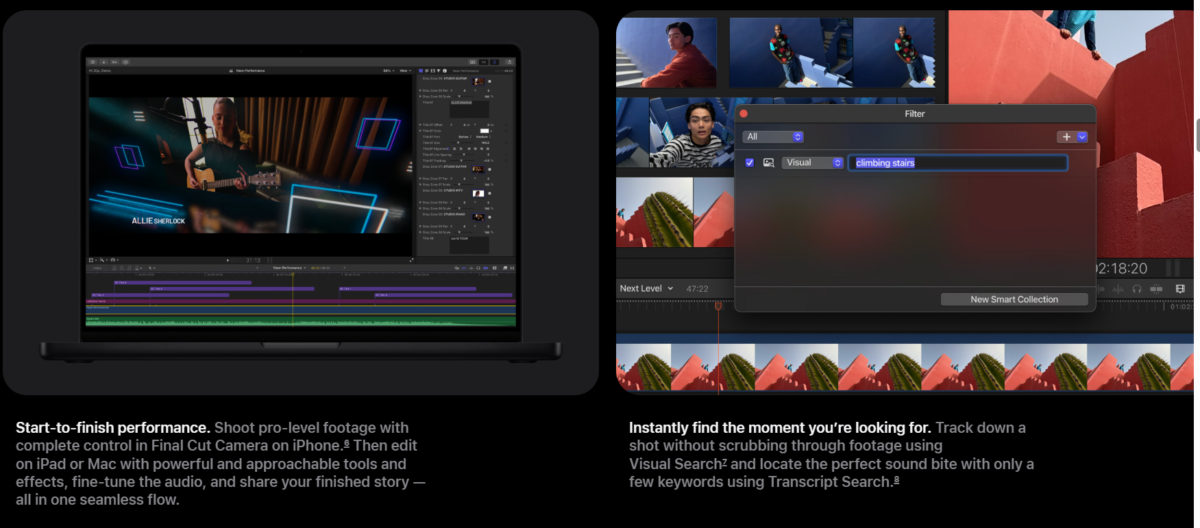
The bundle includes Final Cut Pro for video editing, Logic Pro for music production and Pixelmator Pro for image editing and design. Mac users also receive Motion, Compressor and MainStage. Apple additionally includes premium content and intelligent features across apps such as Keynote, Pages, Numbers and Freeform.
The subscription works across supported Mac and iPad hardware, although individual applications have their own system requirements.
The Price Is Aggressive
In the US, the standard plan costs $12.99 per month or $129 per year. Eligible students and educators can pay $2.99 per month or $29.99 per year. New subscribers receive a trial, and qualifying new Apple hardware can include a longer introductory period.
Family Sharing is another important detail. Apple allows the subscription to be shared with up to six family members, which changes the economics considerably if several people in one household use creative software.
Apple also continues to sell one-time-purchase Mac versions of several major apps. That means the subscription is not automatically the best option for people who dislike recurring payments.
Final Cut Pro and Logic Pro Carry the Bundle
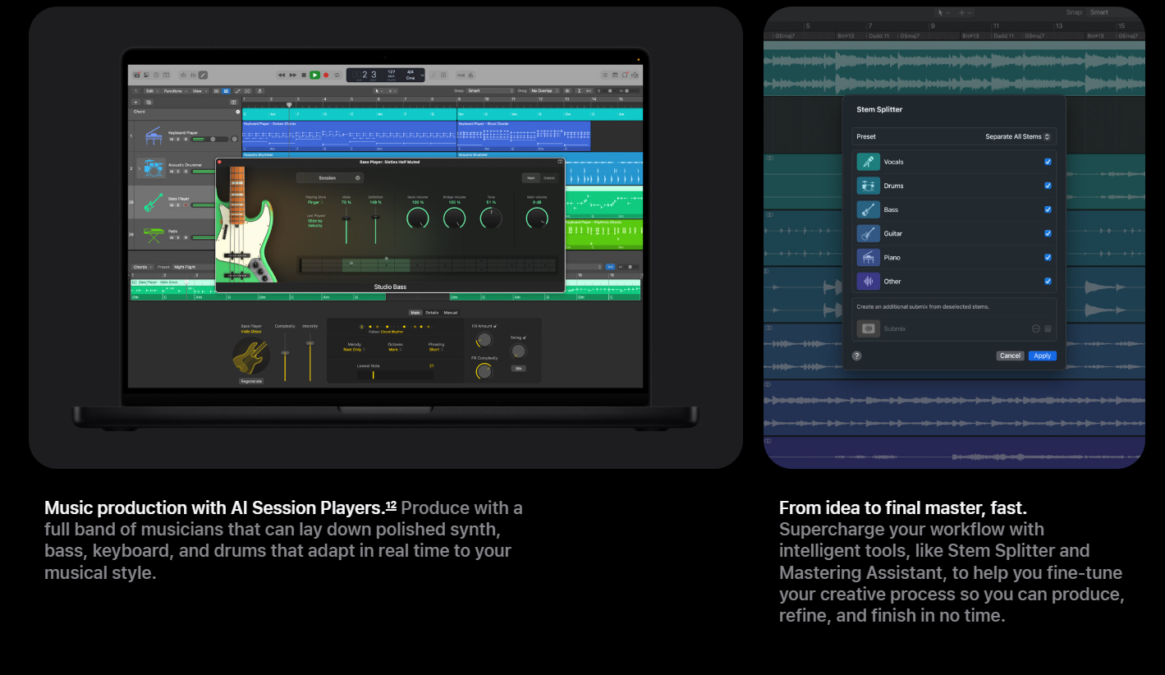
Final Cut Pro and Logic Pro remain the two biggest reasons to subscribe.
Final Cut is designed for fast professional video workflows, especially on Apple silicon. Logic Pro remains one of the strongest music production environments on macOS, with deep MIDI, recording, virtual instrument and mixing tools.
If you already pay for both ecosystems across Mac and iPad, Creator Studio becomes much easier to justify.
Pixelmator Pro Makes the Package Broader
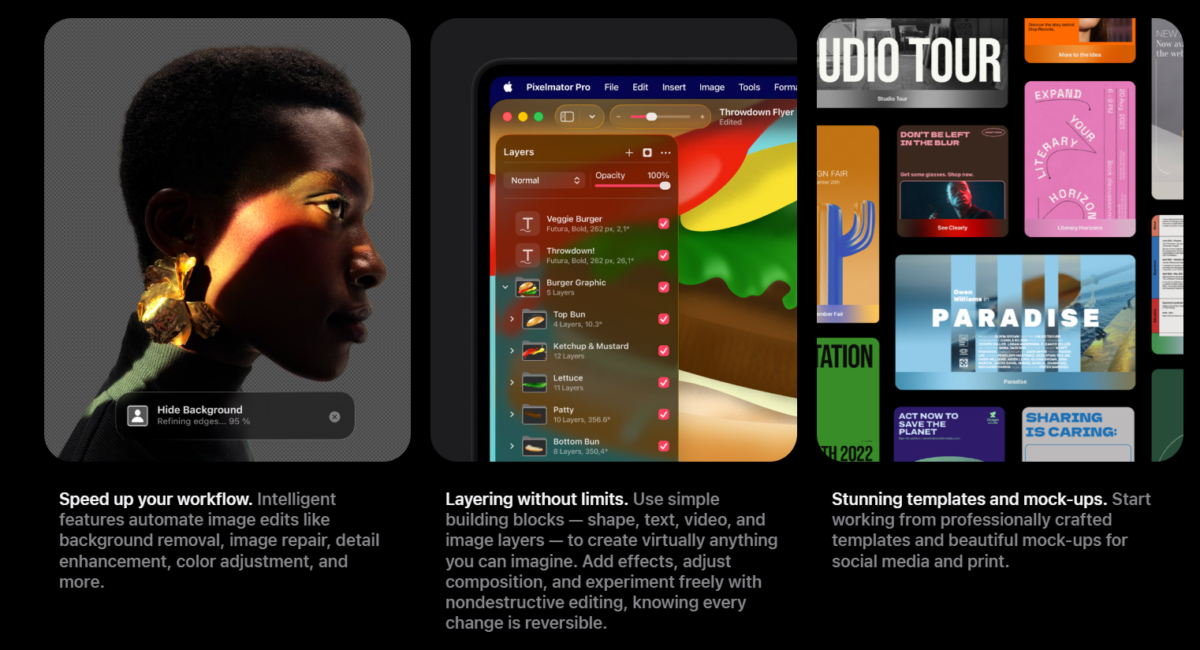
Pixelmator Pro adds a different kind of value. It covers photo editing, design, typography and image manipulation without forcing users into another vendor’s subscription.
Its inclusion means Creator Studio is no longer simply a video and music bundle. A small creative business could conceivably handle video, audio, social graphics, presentations and basic design work within one subscription.
AI Features Are Useful, but Do Not Buy It for the Label
Apple has added intelligent workflow tools throughout the suite, including features designed to speed up searching, captioning, editing and content creation.
Some of these tools can save real time. The danger is assuming anything labelled “AI” automatically improves creative work. A faster background removal or better search function can be genuinely useful; a feature you never open adds no value regardless of how advanced the model is.
Judge the bundle by the applications you will actually use.
Subscription vs Buying Apps Outright
The one-time-purchase versions still matter.
If you know that Final Cut Pro is the only application you need for the next five years, buying it outright may cost less over the long term. The same logic applies to Logic Pro or Pixelmator Pro.
Creator Studio becomes stronger when your workflow crosses application boundaries or when you value access to ongoing updates and iPad versions.
Who Should Subscribe?
Creator Studio makes sense for:
- video editors who also work with audio or graphics
- musicians who create video content
- students learning several creative disciplines
- small creative businesses
- households that can benefit from Family Sharing
- iPad and Mac users who want the same ecosystem across both devices
Casual users who only need simple editing should first consider the free tools they already own.
Pros
- Strong collection of professional applications
- Competitive annual price
- Excellent education pricing
- Family Sharing increases value
- Mac and iPad integration
- One subscription covers video, music and design
Cons
- Recurring cost
- Overkill for casual creators
- Best value requires Apple hardware
- Some one-time-purchase alternatives may cost less over several years
Final Verdict
Apple Creator Studio is one of Apple’s more interesting subscription moves because the value is easy to understand. The bundle contains serious professional software rather than a collection of minor extras.
The deciding factor is utilisation. If you regularly use Final Cut Pro, Logic Pro and Pixelmator Pro, the annual price is compelling. If you only need one application, buying that tool outright may still be the better long-term decision.