
This post may contain affiliate links. If you buy something through one of these links, Tech Info Central may earn a small commission at no extra cost to you.
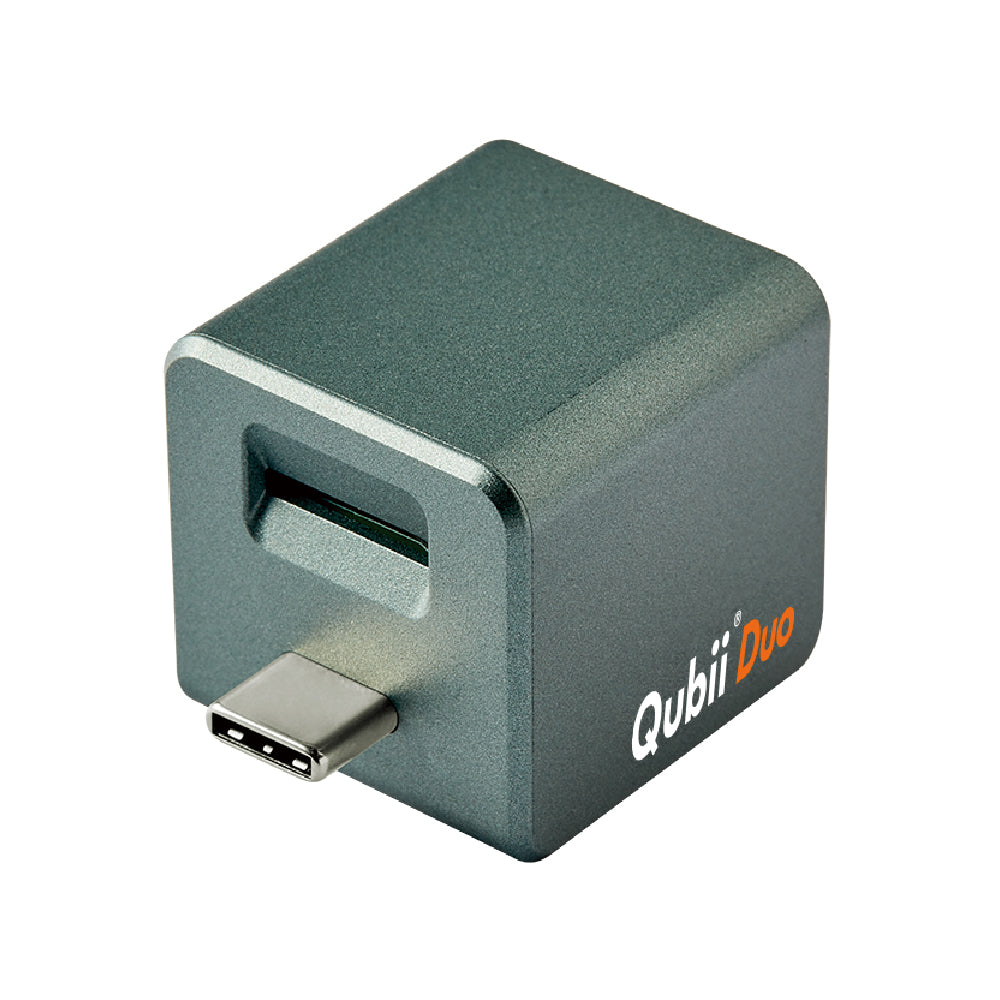
A Maktar Qubii Duo review sounds almost too simple: plug a small device into your charger, insert a microSD card and let it back up your phone while the phone charges.
That simplicity is the product.
Qubii Duo is aimed at people who know they should back up photographs and contacts but rarely remember to do it manually.

Backup While You Are Already Charging
The clever part of Qubii Duo is timing.
Most people charge their phone regularly. Maktar uses that existing habit as the trigger for backup.
The Qubii sits between the charging cable and power adapter. With the companion app configured, supported data can be copied to the microSD card while the phone charges.
You do not have to connect the phone to a computer every evening.
That is a practical advantage over backup systems that depend on remembering another task.

Local Storage Has Privacy Benefits
Cloud backup is convenient, but not everyone wants every photograph stored on another company’s servers.
Qubii Duo keeps the backup on removable local storage.
That gives you physical control over the card and allows you to store it offline after backing up.
Local storage is not automatically safer.
If you lose both the phone and the Qubii card in the same bag, the backup may disappear with the original. A good backup strategy should keep at least one copy in a different location.
Qubii can be one layer of that strategy rather than the only copy.

microSD Capacity Can Be Generous
The device supports high-capacity microSD cards, with published support reaching up to 2TB on compatible cards and software.
That is far more than most people need for phone photographs and contacts.
The actual usable capacity depends on the card, file system and phone content.
Card quality matters.
A cheap or counterfeit microSD card is a poor place for irreplaceable photographs. Buy storage from a reputable source and periodically check that the backup can actually be read.

iPhone and Android Support
Qubii Duo is designed for both iPhone and Android use, which gives it an advantage in households where people change phone brands.
The exact data that can be backed up depends on the platform and app permissions.
Photographs, videos and contacts are the most obvious targets.
Do not assume it creates a perfect clone of the entire phone in the way a full computer-based device backup might.
Think of it as automated protection for important personal content.

Recovery Matters as Much as Backup
A backup only has value if you can restore from it.
After setting up Qubii, test a small restore before trusting it with years of photographs.
That simple step confirms the app can see the card, the files are readable and you understand the recovery process.
It also protects against the false confidence that comes from seeing a “backup complete” notification without ever checking the result.
Who Should Buy It?
Qubii Duo suits:
- people who avoid monthly cloud subscriptions
- users with large photo libraries
- parents backing up family photographs
- people who forget manual backups
- mixed iPhone and Android households
- travellers who want a portable local copy
Pros
- Backup happens during a normal charging routine
- No monthly storage fee for the device itself
- Local removable storage
- Works across supported iPhone and Android devices
- Very small
- Easy to carry
Cons
- Requires a good microSD card
- Not a complete replacement for every type of phone backup
- Physical storage can be lost or damaged
- Initial app setup and permissions still matter
Buy Now on Amazon
Get fast delivery and secure checkout directly from Amazon.
Final Verdict
The Maktar Qubii Duo succeeds because it attaches backup to something you already do.
You charge your phone, and the backup can happen at the same time.
That is more valuable than a technically sophisticated backup system people forget to use.
It should not be your only copy of important data, but as an automatic local backup for photographs, videos and contacts, it is a clever little device.