
This post may contain affiliate links. If you buy something through one of these links, Tech Info Central may earn a small commission at no extra cost to you.
AnkerMake M5 review searches in 2026 need a different answer from the one buyers would have received at launch because the 3D-printer market has moved quickly.
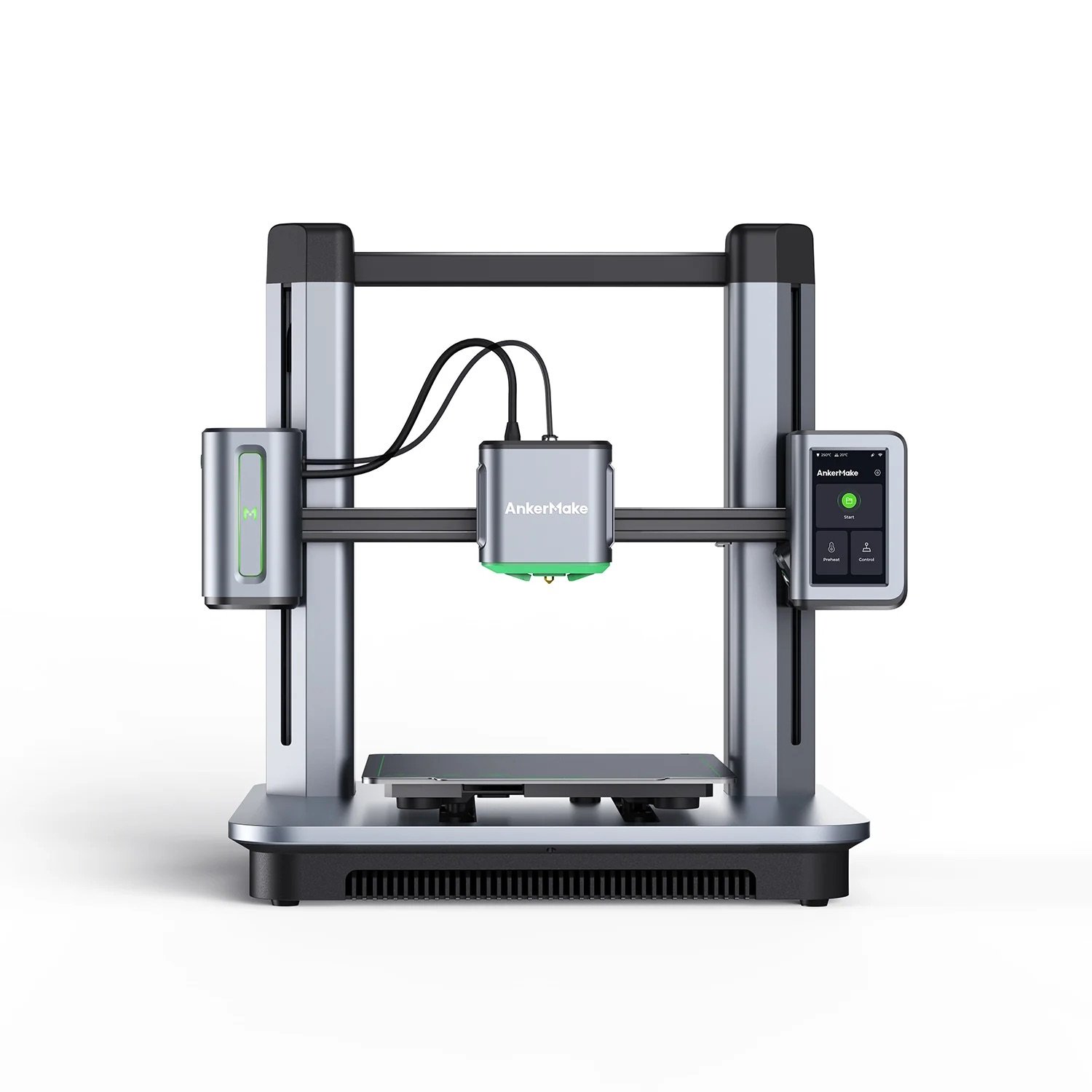
The M5 was notable for pushing faster printing into a relatively approachable consumer machine. It also combined Wi-Fi control, a built-in camera and automated bed levelling in a package aimed at people who wanted less manual tinkering.
Those strengths have not disappeared, but newer printers have raised expectations.
AnkerMake M5 Key Specifications
| Feature | Details |
|---|---|
| Printer type | FDM |
| Build volume | Approx. 235 x 235 x 250mm |
| Supported materials | PLA, PETG, TPU and ABS according to current support information |
| Maximum nozzle temperature | Up to 260°C |
| Maximum bed temperature | Up to 100°C |
| Connectivity | Wi-Fi and USB-C options |
| Camera | Built-in monitoring camera |
| Levelling | Automatic bed-levelling system |
Speed Was the M5’s Big Selling Point
When the M5 launched, one of its main attractions was the promise of substantially faster printing than the slower bed-slingers many hobbyists were using.
That speed remains useful, particularly for prototypes, household parts and projects where you want a result in hours rather than waiting overnight.
The important 2026 context is that speed is no longer rare. CoreXY machines and newer high-speed bedslingers have normalised fast acceleration and rapid print modes.
That means the M5 should now be judged on total value rather than on speed alone.

Setup Is Friendlier Than Traditional Hobby Printers
The M5 was designed to reduce the amount of adjustment required before a first successful print.
Automatic levelling, software-assisted setup and remote monitoring all help people who do not want to spend their first weekend manually calibrating a machine.
No FDM printer is completely maintenance-free. Nozzles clog, build plates need cleaning and filament quality still affects results. The M5 simply removes some of the older rituals that made entry-level 3D printing intimidating.
Camera and Remote Monitoring
The integrated camera remains a useful feature. It allows you to keep an eye on long prints without standing beside the printer.
The associated software can also support remote management and monitoring. That is particularly helpful for multi-hour jobs where the biggest concern is discovering a failed first layer after a large amount of filament has already been wasted.
Treat automated failure detection as assistance rather than a guarantee. Visual recognition systems can miss failures or flag harmless behaviour.

Filament Compatibility
Current support information lists PLA, PETG, TPU and ABS among the materials supported by the M5.
That covers the majority of ordinary home projects. PLA remains the easiest option for general printing, PETG adds durability and moisture resistance, TPU provides flexibility and ABS suits some higher-temperature or mechanically demanding jobs.
Material choice still requires appropriate ventilation and temperature control.
Software and Long-Term Ownership
AnkerMake’s 3D-printing business has evolved, and buyers looking at an M5 in 2026 should pay particular attention to current software support, spare parts and warranty coverage in their region.
The printer can work with mainstream slicing workflows, but some connected features depend on the manufacturer’s software ecosystem.
That matters more for a used or heavily discounted M5 than it did when the machine was new.

Who Should Buy It Now?
The M5 can still make sense if you find it at a strong price and want an approachable printer with a camera, network features and decent material support.
It becomes harder to recommend at anything close to its original premium pricing because newer machines offer faster motion systems, multicolour options or more mature ecosystems.
Pros
- Fast printing compared with older entry-level machines
- Automatic bed levelling
- Built-in camera
- Network control
- Supports common filament types
- Friendly for users moving beyond basic printers
Cons
- No longer unusual for speed
- Newer competitors offer more advanced ecosystems
- Connected features depend on software support
- Value depends heavily on current price
Final Verdict
The AnkerMake M5 helped push consumer 3D printing towards faster, more automated machines.
In 2026, it is better viewed as a capable older platform than as a category leader. Buy it when the price reflects that reality.
If a newer printer costs only slightly more, compare the ecosystem, spare-part availability and multicolour options before committing.